Showing posts with label JSP. Show all posts

January 4, 2021
Estimated Post Reading Time ~

How to recompile component JSPs in AEM via Felix Console

In the latest versions of AEM, there is a new feature available, which can be used to recompile the component JSPs.

This helps in resolving issues like:
- Latest changes not available on package install
- ClassNotFound exception on package install

This functionality can be accessed by:
Login to Felix Console and go to Sling >> JSP OR directly go to <aem-domain>/system/console/slingjsp
Click on the Recompile JSPs button


By aem4beginner

January 2, 2021
Estimated Post Reading Time ~

Clearing AEM’s JSP Cache in your Jenkins Build

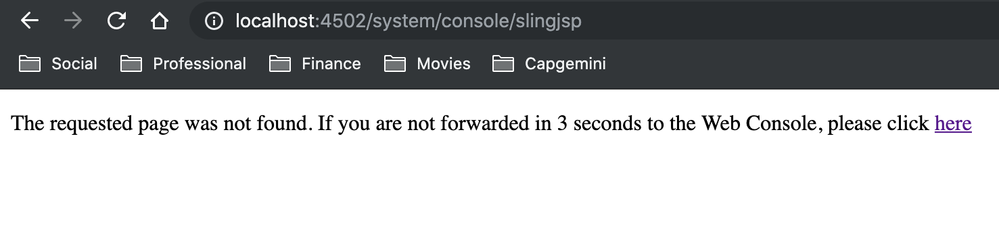
AEM really likes caching your compiled JSPs. This can be a problem as you are developing code, especially when working on dependencies. Every so often you may forget to include a dependency in a bundle or include the wrong version. Because of AEM’s JSP caching, even after fixing your dependency, you may see something like this:

Image 

As a developer, this is annoying, but if this same problem occurs in integration or another environment, it causes significantly more extra work as the team will need to determine what is the problem and what caused it while having to potentially review many commits by different developers.

How to Clear AEM’s JSP Cache
To keep this from happening, you can automatically clear the JSP cache in AEM as part of your build. Apache Sling offers a simple console to do this at http://localhost:4502/system/console/slingjsp and you can easily invoke it with the following cURL command:

curl -u admin:admin 'http://localhost:4502/system/console/slingjsp' -X POST -v

Integration JSP Cache Clearing to the Build
To make this happen, add this as an additional Execute Shell build step in your build configuration. Given, this Jenkins build example:


Your updated configuration should look like this:


After adding this to your build you should see something like this:
[INFO] ------------------------------------------------------------------------ [INFO] BUILD SUCCESS [INFO] ------------------------------------------------------------------------ [INFO] Total time: 01:20 min [INFO] Finished at: 2016-08-10T16:04:05+00:00 [INFO] Final Memory: 48M/192M [INFO] ------------------------------------------------------------------------ [finn] $ /bin/sh -xe /tmp/hudson1194504770954027729.sh + curl -u admin:PASSWORD http://ec2-IP.compute-1.amazonaws.com:4502/system/console/slingjsp -X POST -v * About to connect() to ec2-IP.compute-1.amazonaws.com port 4502 (#0) * Trying IP... connected * Connected to ec2-IP.compute-1.amazonaws.com (172.31.18.125) port 4502 (#0) * Server auth using Basic with user 'admin' > POST /system/console/slingjsp HTTP/1.1 > Authorization: Basic CODE > User-Agent: curl/7.19.7 (x86_64-redhat-linux-gnu) libcurl/7.19.7 NSS/3.19.1 Basic ECC zlib/1.2.3 libidn/1.18 libssh2/1.4.2 > Host: ec2-IP.compute-1.amazonaws.com:4502 > Accept: */* > % Total % Received % Xferd Average Speed Time Time Time Current Dload Upload Total Spent Left Speed 0 0 0 0 0 0 0 0 --:--:-- --:--:-- --:--:-- 0< HTTP/1.1 302 Found < Date: Wed, 10 Aug 2016 16:04:05 GMT < Set-Cookie: felix-webconsole-locale=en;Path=/system/console;Expires=Tue, 05-Aug-2036 16:04:05 GMT < Expires: Thu, 01 Jan 1970 00:00:00 GMT < Location: http://ec2-IP.compute-1.amazonaws.com:4502/system/console/slingjsp?reset < Content-Length: 0 < 0 0 0 0 0 0 0 0 --:--:-- --:--:-- --:--:-- 0 0 0 0 0 0 0 0 0 --:--:-- --:--:-- --:--:-- 0* Connection #0 to host ec2-IP.compute-1.amazonaws.com left intact * Closing connection #0 Finished: SUCCESS

Hopefully, this helps anyone else running into problems with JSP caching in AEM.


By aem4beginner

December 28, 2020
Estimated Post Reading Time ~

AEM inheritedpageproperties with Sightly, JSP, OSGI Bundle

Inheritedpageproperties helps you retrieve a parent property from parent pages. Inherited page properties utilises com.day.cq.commons.inherit.HierarchyNodeInheritanceValueMap, where the search is made on the page hierarchy, upwards; searching children of the page nodes (components) are not included. Inherited page properties can be retrieved in multiple ways, where this article will only focus on 3 ways.

In this article, we will go through the 3 different ways in how we can retrieve inherited page properties.

1. inheritedPageProperties with Sightly
Sightly offers a plethora of AEM Global objects, and one of them notably is the “inheritedPageProperties”. Utilizing the inheritedPageProperties global object, we can use dot or square bracket notation to access the inherited page property value.

${inheritedPageProperties.myCustomProperty}
${inheritedPageProperties['myCustomProperty']}
${inheritedPageProperties.jcr:title}
${inheritedPageProperties['jcr:title']}


2. inheritedPageProperties with JSP
Utilising the JSP include, /libs/foundation/global.jsp (purpose of retreiving the currentPage AEM global object), we can make use of the HierarchyNodeInheritanceValueMap.class, and currentPage resource to initialise the InheritanceValueMap.class object. Next, calling the method getInherited(String name, Class<T> type), we are able to get the inherited page property.

<%@include file="/libs/foundation/global.jsp"%>
<%@ page import="com.day.cq.commons.inherit.InheritanceValueMap" %>
<%@ page import="com.day.cq.commons.inherit.HierarchyNodeInheritanceValueMap" %>

<%
InheritanceValueMap ivm = new HierarchyNodeInheritanceValueMap(currentPage.getContentResource());
String inheritedValueMyCustomProperty = ivm.getInherited("myCustomerProperty", String.class);
String inheritedValueJcrTitle = ivm.getInherited("jcr:title", String.class);
%>
inheritedValueMyCustomProperty = <%= inheritedValueMyCustomProperty %>
inheritedValueJcrTitle = <%= inheritedValueJcrTitle %>


3. inheritedPageProperties with OSGI Bundle, Java Backend
Similar to the JSP implementation above, we can make use of the HierarchyNodeInheritanceValueMap.class, and the currentPage resource to initialize the InheritanceValueMap.class object. Next, calling the method get inherited(String name, Class<T> type), we are able to get the inherited page property.

import com.day.cq.commons.inherit.InheritanceValueMap;
import com.day.cq.commons.inherit.HierarchyNodeInheritanceValueMap;

@ScriptVariable
private Page currentPage;
...
InheritanceValueMap ivm = new HierarchyNodeInheritanceValueMap(currentPage.getContentResource());
String inheritedValueMyCustomProperty = ivm.getInherited("myCustomerProperty", String.class);
String inheritedValueJcrTitle = ivm.getInherited("jcr:title", String.class);


By aem4beginner

May 22, 2020
Estimated Post Reading Time ~

Get JSP output within Servlet in AEM

In CQ, we need to process jsp within servlet then combine the result with other results we get from the server before writing back to the browser.

The following code is almost what we need, except that it writes the result back to the browser after processing jsp.

RequestDispatcher dispatcher = request.getRequestDispatcher(resource);
dispatcher.forward(request, response);
We tried using mock response as follows:

RequestData requestData = new RequestData(slingRequestProcessor, request, mockResponse);
SlingHttpServletRequest slingRequest = requestData.getSlingRequest();
SlingHttpServletResponse slingResponse = requestData.getSlingResponse();
RequestDispatcher dispatcher = request.getRequestDispatcher(resource);
dispatcher.forward(slingRequest, slingResponse);
but we get issues.

Best How To:
First off - based on your description it sounds like you want to use requestDispatcher.include and not requestDispatcher.forward.

Concerning the inclusion of the response content, the response which you pass into a requestDispatcher.include call could be an object of your own creation which would write its output to a string instead of returning it to the browser. Something along the lines of the following might be appropriate:

final ServletOutputStream outputStream = new ServletOutputStream() {
    public void write(int b) throws IOException {
        outputBuffer.append((char) b);
    }
};

SlingHttpServletResponseWrapper responseWrapper = new SlingHttpServletResponseWrapper(response) {
    public ServletOutputStream getOutputStream() {
        return outputStream;
    }

    public PrintWriter getWriter() throws IOException {
        return new PrintWriter(outputBuffer);
    }

    public SlingHttpServletResponse getSlingResponse() {
        return super.getSlingResponse();
    }
};

After the inclusion outputStream.toString() should provide the result of the resource request's execution.


By aem4beginner

May 20, 2020
Estimated Post Reading Time ~

Overview of Sightly and Sightly vs JSP.

Sightly, Beautiful Markup Language and More

Sightly is a Hypertext Template Language (HTL) specifically designed for AEM. It was introduced with AEM version 6.0 about two years ago. Nowadays, slightly has been gaining importance because of its various advantages for developing websites in AEM.

Although languages like JSP (Java Server Pages) and ESP (ECMA Script Server Pages) serve well for website development in AEM, sightly is emerging to be a preferred templating language for HTML because HTML developers can participate better in AEM project without any JAVA knowledge.

In addition, this language seems pleasing to the eye of any web developer. It is made easily understandable with its simple syntax, and efficient maintainability. Therefore, it is called “Sightly”.

Sightly, is also referred to as server-side template language, it enables development teams to distinctly separate logic and markup. This flexibility allows for faster and easier CMS customization. It helps businesses to pursue not only broader but also comprehensive business strategy and faster time to market.

During the last two years, with an increased support base for tools, Sightly has become more performant and standardized. After successfully completing the migration of a site to AEM using Sightly, one can view results such as a reduction in development efforts over traditional JS-based development. The code came out to be cleaner and the maintenance is much easier. This blog describes Sightly’s advantages, its implementation factors, and its Cost reduction features.

The following are the main advantages of Sightly.

Advantages

  • New AEM developers have a shorter learning curve
  • Easy to maintain the project with cleaner code
  • Introduces, the new way of component development
  • Elimination of UI/AEM integration issues
  • Increased developer productivity
  • Secure: URL Externalization and XSS Protection
  • Finally helps you forget about JSP Scriptlets, with embedded business logic.
  • Offers pure view and help move the business logic to Java classes (externalizing the business logic)
  • Addresses problems in AEM such as lack of separation of concerns

On the other hand, sightly shows its significance in enabling Java developers to focus on the backend code independently. This specific feature distinguishes sightly from other templating systems where Java developers should have little front-end knowledge of integration. Therefore, sightly often reduces coordination issues, as the frontend development might not be a primary skill for every Java developer.

SAMPLE CODE IN JSP
  <% %>
<%@include file=”/libs/foundation/global.jsp”%><% %>
<%@page session=”false” %>
<% %>
<cq:includeClientLib css=”test.css” />
<cq:includeClientLib js=”test.js” />
<div>
<h1>Hello World!!</h1>
<h2>I am using JSP!!</h2>
<h2>properties</h2>
<%
String title = properties.get(“jcr:title”, “default title”);
String text = properties.get(“jcr:text”, “default text”);%>
Title: <%= title %> <br/>
Text: <%= text %> <br/><br>
<h2>currentPage</h2>
Title: <%= currentPage.getTitle() %><br>
Name: <%= currentPage.getName() %><br>
Path: <%= currentPage.getPath() %><br>
Depth: <%= currentPage.getDepth() %><br>
<h2>currentNode</h2>
Name: <%= currentNode.getName() %><br>
Path: <%= currentNode.getPath() %><br>
Depth: <%= currentNode.getDepth() %><br><br>
<c:if test=”${properties.name}”>
<c:set var=”test” value= “target=’_blank'”/>
</c:if>
<a class=”btn btn-primary-outline”
href=”<%=testurl%>”
${test} role=”button”>${properties.name}
</a>
</div>

SAMPLE CODE IN SIGHTLY
 <div>
<sly data-sly-use.clientlib=”/libs/granite/sightly/templates/clientlib.html”
data-sly-call=”${clientlib.js @ categories=’clientlib1,clientlib2′}”
data-sly-call=”${clientlib.css @ categories=’clientlib1,clientlib2′}” >
</sly>
<div data-sly-include
script=”/libs/foundation/global.jsp”>
</div>
<h1>Hello World!!</h1>
<h2>I am using Sightly!!</h2>
<h3>Properties</h3>
<!—fetch property values from the dialog — >
<p>Title: ${currentPage.properties.jcr:title}</p>
<h3>Page Details</h3>
<p>Title: ${currentPage.Title}</p>
<!—fetch property values with currentPage object– >
<p>Name: ${currentPage.Name}</p>
<p>Path: ${currentPage.Path}</p>
<p>Depth: ${currentPage.Depth}</p>
<h3>Node Details</h3>
<!—fetch property values with currentNode object– >
<p>Name: ${currentNode.Name}</p>
<p>Path: ${currentNode.Path}</p>
<p>Depth: ${currentNode.Depth}</p>
<!—testing if the properties are present (similar to if condition)– >
<div data-sly-test.valid=”${pageProperties.name}”>
${pageProperties.name}
</div>
</div>

Tricks with Sightly:

  • How to print Url of the current page in sightly: Although we can fetch URL using javascript model, it is preferable to directly use it in sightly as it improves the performance.

Example: You can print the URL using ${request.requestURL.toString} Url can be composed and printed as below:

<sly data-sly-test.scheme="${request.scheme}"/>
<sly data-sly-test.servername="${request.serverName}"/>
<sly data-sly-test.serverport="${request.serverPort}"/>
<sly data-sly-test.val="${request.requestURI}"/>
${scheme}://${servername}:${serverport}${val}

Access Values from a String[] in Json:
Example:

<div
data-sly-use.multi="${'com.project.sightly.MultiField' @ json=properties.items}">
<div data-sly-repeat="${multi.values}">
<h2>${item['linkLabel']} - ${item['anchor']}</h2>
</div>
</div>

Where MultiField is a class and uses an identifier called ‘json’ to map the properties stored in a Jason object.

multi.values – will fetch all the keys from the json object.

Item: will iterate key-value pairs within the json object.

Coding Standards in Sightly
Sightly allows the developers to leverage its wider choice of a global variable as well as flexible use of API. It also enables the developers to prepare customized data for the templates utilizing both Java and JavaScript.

Sightly Implementation Overview
Beyond the MVC (Classic Model-View-Controller), the above architecture does have the following characteristics

  • Presence of a sling post servlet does mean that no code must be written to handle POST requests
  • The client not necessarily should know about structuring data for the Sling Post Servlet
  • A simple server-side JavaScript file is essential to trigger the specific template handling that part of the view. To retrieve the HTML fragment of what must be updated on the page.

Few points to know about Sightly, ranging from technical odds and ends to more general considerations

Integrations with sling models:
Sightly does not require Sling models, there are different ways to get your logic into Sightly. Still, the sling models are considered as the perfect way to set the Java logic up.

Templates-Define reusable:
In Sightly, Templates tend to define re-usable and potentially recursive methods that can be defined locally or in separate files.

Separation of concerns:
Separation of concerns defines the separation of the frontend from the business logic in different files. Initially, the business would require writing all templates in JSTL, because JSP logic tends to sneak into the views. Another disadvantage is, JSTL can become rather unwieldy and produce lots of clutter. This was very much reduced in Sightly and it helps bridge the gap between back end as well as front-end development.

Localizing Terms:
Sightly localize terms provided in dictionaries in an easy and beautiful manner by just adding the context i18n.

Version diffing:
This is a core feature of AEM and it is used on many websites. It does include HTML to highlight changes in different versions of the page directly in the author's environment. By inserting HTML into text, the text becomes enriched with content, that is automatically escaped by Sightly. So, one must skip all encoding, which again takes away a core feature of Sightly. Abode is working to find a solution.

Easy to adopt:
Sightly is easy to adapt because it allows the front-end developers to directly work with templates in Abode Experience Manager and not have the visual clutter of JSTL or the power (and responsibility) of JSP. Thus, it becomes much easier to use it, in all the projects for web development on AEM.

How to add
Help Reduce Total Cost of Ownership(TCO) and Time-to-Market”
Sightly is preferred by numerous technical managers because of its templating system that allows separating the business logic from the front end markup. It also enabled the users to leverage JCR’s extensive features for flexible sling integration.

Potentially 25% of the development cost is saved utilizing Sightly.

The front-end designs need not be implemented separately from the AEM project anymore as Sightly(HTL) provides an environment for HTML developers to work directly on the HTL template without any back-end knowledge. The java development is benefitted as Sightly provides a simple to use USE-API to separate logic from the markup.

In conclusion, the Sightly templating engine is a powerful, versatile tool with many benefits for web development in AEM platforms. Additionally, it improves time-to-market and reduces the Total Cost of Ownership of Your AEM 6.x projects. It also helps in introducing a clean separation of concerns and prevents developers from writing business logic and the markup, thus reduces the load time of the webpage.


By aem4beginner

May 13, 2020
Estimated Post Reading Time ~

How to force the recompilation of all Sling scripts JSP's, Java, and Sightly in AEM 6.4

Environment: AEM 6.4

How to Recompile JSP files in AEM
Sometime the JSP classes will not get compiled automatically in Adobe Experience Manager(AEM). Strange UI issues can occur and compilation errors may be seen in the logs. In AEM6.4 libraries are no longer under /var/clientlibs folder, they are in the file system.

1. Recompile via AEM Web Console:
For classes and Slightly access [1] and click Recompile all JSPs.
For clientlibs access [2], click Invalidate Caches then click Rebuild Libraries.

2. Recompile via the file system

a) For classes and Slightly cache:
Search in the AEM instance home folder with command below:

find launchpad/felix -path "*/bundle*/data/classes" -type d

Delete the "classes" folder

Note: Classes and Slightly cache is stored in the Apache Sling Commons FileSystem ClassLoader bundle. You can also check the bundle number in the AEM Web Console and access that folder directly on the file system.

b) For clientlibs
Search in the AEM instance home folder with command below:

find launchpad/felix -path "*/bundle*/data/outputcache" -type d
Delete "outputcache" folder

Note: Clientlibs is now stored in the Adobe Granite UI Clientlibs. You can also check the bundle number in the AEM Web Console and access that folder directly on the file system.

[1] http://[host]:[port]/system/console/slingjsp
[2] http://[host]:[port]/libs/granite/ui/content/dumplibs.rebuild.html

DOWNLOAD
Get file
Shell script cq-force-recompilation64.sh to automate the recompile process on AEM 6.4 Example arguments: 


./cq-force-recompilation64.sh crx-quickstart/ http://localhost:4502 admin:admin


By aem4beginner

May 9, 2020
Estimated Post Reading Time ~

How to get node properties in JSP in AEM

Here is the procedure to get node properties in a JSP in AEM

<%@page session="false"%>
<%@ page import="java.util.Locale,
java.util.ResourceBundle,
javax.jcr.NodeIterator,
javax.jcr.Session,
javax.jcr.Node, javax.jcr.Value, javax.jcr.NodeIterator,
com.day.cq.commons.jcr.*" %>
<%@include file="/libs/foundation/global.jsp" %>

<%
javax.jcr.Session ses = resourceResolver.adaptTo(Session.class);
        //If you want to save anything to the node this session object (ses)is required.
String nodePath="/content/****";
Resource resources = slingRequest.getResourceResolver().getResource(nodePath);
         //Creating Node object using adaptTo mehtod.
Node rootNode = resources.adaptTo(Node.class);

*****Here is the node "rootnode", and now we can explore subnodes by using the root node and their properties.


By aem4beginner

May 5, 2020
Estimated Post Reading Time ~

AEM and JSP Custom Tag Library

Today we just want to show how to create and use a custom tag library in AEM in a simple 3 steps walkthrough. We don’t want to get into the general details of how to actually write a JSP Custom Tag Library. For more information on writing JSP Custom Tag Libraries, you can see the JavaEE 5 Tutorial – Custom Tags in JSP Pages documentation.

Why creating a custom tag library?
One of the best practice on how to write jsp, is do not mix presentation logic with business logic. This should mean to minimise or do not use scriptlets at all. Instead you should use a combination of EL expressions and Custom Tag Libraries (including the JSTL).

Sometimes scriptlets are just faster for reaching your goal and we are not purist to say never use scriplets, just try to find your right balance in coding without adding a lot of business logic inside your components jsp.

Step 1. Add your Tag Library Descriptor
Create your Tag Library Descriptor file inside of the META-INF directory within your OSGi Bundle (e.g. my-custom-tag-library.tld).

<?xml version="1.0" encoding="UTF-8" standalone="yes"?>
<taglib xmlns="http://java.sun.com/xml/ns/javaee" version="2.1">
<tlib-version>1.0.0-SNAPSHOT</tlib-version>
<short-name>shortname</short-name>
<uri>http://codebay-innovation.com/my-custom-taglib</uri>
<tag>
<name>myCustomTag</name>
<tag-class>com.codebay.examples.taglib.MyCustomTag</tag-class>
                <info>Just a sample taglib</info>
</tag>
</taglib>

IMPORTANT: In your Tag Library Descriptor (.tld file), for the value of the tag, you must specify a full and unique URL to identify your Tag Library within the CQ environment. If you only specify a relative URI, CQ often fails to find your library.

Step 2. Create your Tag Library class
Just create your tag library class as normal.

package com.codebay.examples.taglib;

import java.io.IOException;
import javax.servlet.jsp.JspException;
import javax.servlet.jsp.tagext.TagSupport;

/**
 * Just a Taglib example.
 * @author CodeBay Innovation
 */
public class MyCustomTag extends TagSupport {
  
  @Override
  public int doEndTag() throws JspException {   
    try {
      pageContext.getOut().print("Hello from JSP!");
    } catch (IOException e) {
      throw new JspException(e.toString());
    }
    return EVAL_PAGE;
  }

}

Step 3. Use your custom tag library from jsp
Once you have deployed your custom tag library into your AEM instance, you can just use it into your components jsp with the standard mechanism.

<%@ taglib uri="https://aemcorner.com/my-custom-taglib" prefix="myUtils" %>
<myUtils:myCustomTag/>


By aem4beginner

April 27, 2020
Estimated Post Reading Time ~

How to Clear/Recompile the JSP classes in AEM 6.1

Sometime when we are deploying the packages, the JSP classes will not get compiled automatically in Adobe Experience Manager(AEM) 6.

We can follow the below option to clear/recompile the JSP classes.

Login to - http://localhost:4502/system/console/slingjsp

Click on Recompile all JSPs


Note:
We had Some UI issues need a recompilation of the JSPs in order to be resolved (/system/console/slingjsp). However, in AEM 6.5 (tested on an OOTB installation with no additional packages installed) the console with which this is usually done is no longer available. It is not present in the menu, nor is the URL accessible directly.

AEM 6.3:


AEM 6.5:


Solution:
That option was removed in 6.5. Now, Classes and Slightly cache is stored in the file system.

Apache Sling Commons FileSystem ClassLoader. Checkpoint 2 at [1] on how to clear classes and sightly cache

How to Recompile JSP files in AEM

Sometime the JSP classes will not get compiled automatically in Adobe Experience Manager(AEM). Strange UI issues can occur and compilation errors may be seen in the logs. In AEM6.4 libraries are no longer under /var/clientlibs folder, they are in the file system.

1. Recompile via AEM Web Console:
For classes and Slightly access [1] and click Recompile all JSPs.
For clientlibs access [2], click Invalidate Caches then click Rebuild Libraries.

2. Recompile via the file system
a) For classes and Slightly cache:
Search in the AEM instance home folder with command below:

find launchpad/felix -path "*/bundle*/data/classes" -type d

Delete the "classes" folder

Note: Classes and Slightly cache is stored in the Apache Sling Commons FileSystem ClassLoader bundle. You can also check the bundle number in the AEM Web Console and access that folder directly on the file system.

b) For clientlibs
Search in the AEM instance home folder with command below:

find launchpad/felix -path "*/bundle*/data/outputcache" -type d
Delete "outputcache" folder

Note: Clientlibs is now stored in the Adobe Granite UI Clientlibs. You can also check the bundle number in the AEM Web Console and access that folder directly on the file system.

[1] http://[host]:[port]/system/console/slingjsp
[2] http://[host]:[port]/libs/granite/ui/content/dumplibs.rebuild.html


By aem4beginner

April 22, 2020
Estimated Post Reading Time ~

How to recompile JSP's in AEM through Felix console

Statement -Recompile JSP
Environment - AEM 6.3 GA

Solution:
Go to the Felix console URL: http://localhost:4502/system/console/slingjsp
Click on the Recompile all JSP


By aem4beginner

April 16, 2020
Estimated Post Reading Time ~

Sightly New Features vs JSP in AEM

In this tutorial, We are going to see what are the sightly new features vs jsp that has been introduced in AEM to optimize and increase the productivity of web developers. Below are the topics that are covered in this tutorial.
  1. Advantages of using Sightly.
  2. Difference between Sightly vs JSP.
  3. What are the Building Blocks of Sightly.
  4. What are Sightly Implicit Objects.
  5. Sightly Plugin for Ecllipse and Brackets.
  6. Component Development Sightly vs JSP.
Advantages of using Sightly
Below advantages of using Sightly make you to code sightly easier and faster :
Lightweight – No dependencies, fast and lean.
Secure – Automatic contextual XSS protection and URL externalization.
Code-less – Enforce separation of concerns between logic and markup.
Powerful – Straight-forward API for logic, allowing to do virtually anything.
Intuitive – Clear, simple & restricted feature set

Difference between Sightly vs JSP
Sightly Offers below advantages over JSP for better development in AEM :
  • Protection against cross-site scripting injection.
  • Easily development of AEM Projects by front-end developers.
  • Flexible and powerful templating and logic binding features.
  • Strong connection to Sling use case.
  • Slightly only Supports HTML5.
  • Using sightly components development becomes a part of Web Developer instead of a java developer.

  • Need to write less code in Sightly thus productivity increases.
  • Wider range of implicit objects as compared to JSP.
Comments in Sightly:
<b><!--/* I am a Sightly Comment */--></b>

Sightly Code:
<a href="${properties.link || '#'}" title="${properties.jcr:title}">;
${properties.jcr:description}
</a>

JSp Code:
<a href="<%= xssAPI.getValidHref(properties.get("link", "#")) %>"
<% String title = properties.get("jcr:title", ""); if (title.length() > 0) {
%>title="<%= xssAPI.encodeForHTMLAttr(title) %>"<% } %>>
<%= xssAPI.encodeForHTML(properties.get("jcr:description", "")) %>
</a>

Building Blocks of Sightly

Sightly Expression Language
${properties.myProperty}

Sightly Block Statements
<span data-sly-test="${isVisible}">${text}</span>

Sightly Use-API
<span data-sly-use.obj="script.js">${obj.text}</span>

Expression Operators in Sightly

Sightly Logical operations

${!myVar}
${conditionOne || conditionTwo}
${conditionOne && conditionTwo}
${properties.jcr:title || conditionTwo}
Equality / Inequality(only for same types)
${varOne == varTwo} ${varOne != varTwo}

Comparison(only for integers)
${varOne < varTwo} ${varOne > varTwo}
${varOne <= varTwo} ${varOne >= varTwo}

Sightly Conditional Operator
${myChoice ? varOne : varTwo}

Sightly Grouping Operator
${varOne && (varTwo || varThree)}

Expression Options
Everything after the @ is a paameter
${myVar @ optOne, optTwo}
${myVar @ optOne='value', optTwo=[1, 2, 3]}

Sightly String formatting (Concatenation)
String concatenation can be done in sightly using @ format
<div
data-sly-test.concat="${ 'This is page {0}, with title {1}' @
format=[currentPage.name,currentPage.title]}">
${concat}
</div>

Internationalization in Sightly
${'Page' @ i18n}
${'Page' @ i18n, hint='Translation Hint'}
${'Page' @ i18n, source='user'}
${'Page' @ i18n, locale='en-US'}

Array Join in Sightly
${['one', 'two'] @ join='; '}

Sightly Implicit Objects
Below are the most frequently used Implicit objects of Sightly:
Sightly Use Statement implicit object

Slightly Use statement : Initializes a helper object.
<!--/* template.html */-->
<div data-sly-use.nav="navigation.js">${nav.foo}</div>
<!--/* navigation.js */-->
use(function () {
return {
foo: "Hello World"
};
});

Output
<div>Hello World</div>

Sightly Unwrap Statement Implicit Object
Slightly UnWrap Statement : Removes the host element while retaining its content

<div data-sly-use.nav="navigation.js" data-sly-unwrap>
${nav.foo}</div>

Output:
Hello World
Sightly Test Statement Implicit Object
Slightly Test Statement object : Conditionally removes the element and it’s content.

<span data-sly-test="${properties.showText}">text</span>
<span data-sly-test.abc="${a || b || c}">is true</span>
<span data-sly-test="${!abc}">or not</span>

Output:
<span>text</span>
<span>is true</span>

Sightly List Statement Implicit Object
Sightly List Statement : Repeats the content for each enumerable property.

<ol data-sly-list="${currentPage.listChildren}">
<li>${item.title}</li>
</ol>


Output:
<ol>
<li>Triangle Page</li>
<li>Square Page</li>
</ol>

Get size of list in HTL (Sightly):-
<ol data-sly-list="${currentPage.listChildren}">
<li>${item.title} ${currentPage.listChildren.size}</li>
</ol>

Sightly Include Statement Implicit Object
Sightly Include Statement : Includes the rendering of the indicated template (Sightly, JSP, ESP, etc.)

<section data-sly-include="path/to/template.html"></section>

Output:
<section><!-- Result of the rendered resource --></section>

Sightly Resource Statement Implicit Object
Sightly Resource Statement : Includes the result of the indicated resource

<article data-sly-resource="path/to/resource"></article>

Output:
<article><!-- Result of the rendered resource --></article>

Component Development Sightly vs JSP
As we have seen above using sightly component development becomes a part of web developer instead of java developer. It reduces development time and cost for template designing a lot as you can see in below diagram.


By aem4beginner

April 13, 2020
Estimated Post Reading Time ~

CQ Tips and Tricks #3 – Getting a service from JSP

This is just a quick little example of my two favorite ways to grab a service in a JSP page.

adaptTo is super handy

<%@taglib prefix="sling" uri="http://sling.apache.org/taglibs/sling/1.0"%>
<sling:defineObjects />

<%@ page session="false" import="com.day.cq.security.UserManager"%>

<%
UserManager userManager = resource.adaptTo(UserManager.class);
%>

see this page for more details on Adaptors make sure what your trying to adaptTo is mapped correctly. For example in this case I went from Resource to UserManager not all classes support AdaptTo.

Another simple way it to get a service is using the slingScriptHelper

<%@taglib prefix="sling" uri="http://sling.apache.org/taglibs/sling/1.0"%>
<sling:defineObjects />
<%@ page session="false" import="com.day.cq.contentsync.handler.util.RequestResponseFactory"%>

<%
RequestResponseFactory requestResponseFactory = sling.getService(RequestResponseFactory.class);
%>


By aem4beginner

April 12, 2020
Estimated Post Reading Time ~

Looping through the children of a specified node

Here is a JSP to dump out the child nodes of a specified parent node, & the properties of the child nodes.

<%request.setAttribute("silentAuthor", new Boolean(true));%><%
%><%@include file="/libs/foundation/global.jsp"%><%
response.setContentType("text");
response.setCharacterEncoding("utf-8");
%><%@ page import="java.util.Iterator,
com.day.cq.wcm.foundation.Paragraph,
com.day.cq.wcm.foundation.ParagraphSystem,
com.day.text.Text,
com.day.cq.tagging.Tag,
com.day.cq.wcm.api.PageFilter,
com.day.cq.tagging.TagManager,
com.day.cq.wcm.api.components.IncludeOptions,
java.util.Calendar,
java.util.Collection,
java.util.regex.*,
java.util.Map,
org.apache.sling.api.resource.ResourceUtil,
org.apache.commons.lang.StringUtils,
org.apache.commons.lang.StringEscapeUtils"%><%

//slingResponse.setContentType("application/xml;charset=utf-8");
slingResponse.setCharacterEncoding("utf-8");

String fullRecipeList = slingRequest.getParameter("pathsList");
if (!StringUtils.isEmpty(fullRecipeList))
{
String[] recipeList = fullRecipeList.split("\n");


for (int recipeCount=0; recipeCount < recipeList.length; recipeCount++)
{
if (StringUtils.isEmpty(recipeList[recipeCount].trim()))
{
continue;
}

// Strip off everything after the ".html"
int positionOfHtml = recipeList[recipeCount].indexOf(".html");
String currentRecipePath = "";
if (positionOfHtml > 0)
{
currentRecipePath = recipeList[recipeCount].substring(0, positionOfHtml);
}
else
{
currentRecipePath = recipeList[recipeCount];
}

Resource resRootPage = slingRequest.getResourceResolver().resolve(currentRecipePath);

if (resRootPage == null)
{
continue;
}

Iterator children = ResourceUtil.listChildren(resRootPage);

while (children.hasNext())
{
Resource resourcePage2 = children.next();

if (resourcePage2.getPath().indexOf("jcr:content") > -1)
{
continue;
}

Node n = resourcePage2.adaptTo(Node.class);
if (n == null)
{
continue;
}
%>
<%= n.getPath() %> <%
PropertyIterator resProps = n.getProperties();
if (resProps == null)
{
continue;
}

long nProps = resProps.getSize();
for (int i = 0; i < nProps; i++)
{
Property p = resProps.nextProperty();
if (!p.getDefinition().isMultiple())
{
%> <%= p.getName() %> <%= p.getString() %> <%
}
}
}
}
}
%>


By aem4beginner

To enable logging for JSP pages

Could you also include the information on how we can add the org.apache.sling.commons.log? names values for those which are inside a jsp page. I believe the value needs to be something like apps.myapp if the center.jsp is inside apps/myapps/center.jsp.
However, this is not working for me.

Hi, JSPs are compiled into packages below org.apache.jsp with the script path converted to further package parts. So in your example the /apps/myapps/center.jsp is compiled into the package: org.apache.jsp.apps.myapps.

Thus the logger must be set up with this prefixed package.


By aem4beginner

April 11, 2020
Estimated Post Reading Time ~

When to use JSP include directive and jsp:include a tag?

The JSP include directive includes static content at compile-time and jsp:include includes static or dynamic content at run time.

1) Use the include directive
a. if the file includes static text
b. if the file is rarely changed (the JSP engine may not recompile the JSP if this type of included file is modified)
c. if you have a common code snippet that you can reuse across multiple pages (e.g. headers and footers)
d. Static includes are faster than dynamic includes

2) Use jsp:include
a. for content that changes at runtime
b. to select which content to render at runtime (because the page and src attributes can take runtime expressions)
c. for files that change often
d. dynamic include can accept a parameter


By aem4beginner

April 9, 2020
Estimated Post Reading Time ~

Common JSP/HTML & Javascript Problems

Some of the commonly faced problems are:
1) In case we give different width combinations for cells of different rows, the width combination of first row is accepted and subsequent combinations are neglected.
1
2
3
4
5
6
7
8
9
10
&amp;lt;tr&amp;gt;
&amp;lt;td width=&amp;quot;30%&amp;quot;&amp;gt;1.1&amp;lt;/td&amp;gt;
&amp;lt;td width=&amp;quot;50%&amp;quot;&amp;gt;1.2&amp;lt;/td&amp;gt;
&amp;lt;td width=&amp;quot;20%&amp;quot;&amp;gt;1.3&amp;lt;/td&amp;gt;
&amp;lt;/tr&amp;gt;
 
&amp;lt;tr&amp;gt;&amp;lt;td width=&amp;quot;50%&amp;quot;&amp;gt;2.1&amp;lt;/td&amp;gt;
&amp;lt;td width=&amp;quot;40%&amp;quot;&amp;gt;2.2&amp;lt;/td&amp;gt;
&amp;lt;td width=&amp;quot;10%&amp;quot;&amp;gt;2.3&amp;lt;/td&amp;gt;
&amp;lt;/tr&amp;gt;
In this case width of first, second and third cell would be 30%, 50% and 20% for both the rows.
2) If we have defined width combinations for first row cells and we use both colspan and width attribute for cell of other row, then width attribute becomes ineffective.
If we want to have table as shown above, we can have each row with one cell and each of the cells would have a table with single row. That ways, the cells of the row can be arranged as per our specifications and requirements.
1
2
3
4
5
6
7
8
9
10
11
12
13
14
15
16
17
18
19
20
&amp;lt;tr&amp;gt;
&amp;lt;td&amp;gt;
&amp;lt;table border=&amp;quot;2px&amp;quot; width=&amp;quot;100%&amp;quot;&amp;gt;
&amp;lt;tr&amp;gt;
&amp;lt;td width=&amp;quot;80%&amp;quot;&amp;gt;New&amp;lt;/td&amp;gt;
&amp;lt;td width=&amp;quot;20%&amp;quot;&amp;gt;Few&amp;lt;/td&amp;gt;
&amp;lt;/tr&amp;gt;
&amp;lt;/table&amp;gt;
&amp;lt;/tr&amp;gt;
 
&amp;lt;tr&amp;gt;
&amp;lt;td&amp;gt;
&amp;lt;table border=&amp;quot;2px&amp;quot; width=&amp;quot;100%&amp;quot;&amp;gt;
&amp;lt;tr&amp;gt;
&amp;lt;td width=&amp;quot;40%&amp;quot;&amp;gt;New&amp;lt;/td&amp;gt;
&amp;lt;td width=&amp;quot;60%&amp;quot;&amp;gt;Few&amp;lt;/td&amp;gt;
&amp;lt;/tr&amp;gt;
&amp;lt;/table&amp;gt;
&amp;lt;/td&amp;gt;
&amp;lt;/tr&amp;gt;
3) One of very common problems that we face in when working with javascript is that we do not get to know what error exactly occurred if the script is not working as expected. We can use try-catch blocks, just as we do in java.
A very basic example:
1
2
3
4
5
6
7
8
9
10
function division(){
try{
var c = 1/x;
alert(c);
}
 
catch(e){
alert(&amp;lt;a href=&amp;quot;http://e.name&amp;quot; target=&amp;quot;_blank&amp;quot;&amp;gt;e.name&amp;lt;/a&amp;gt; + &amp;quot; &amp;quot; + e.message)
}
}
Some javascript errors and their description:


By aem4beginner