Showing posts with label Sling Models. Show all posts

January 2, 2021
Estimated Post Reading Time ~

How To Switch From WCMUsePojo To Sling Models in AEM Part One – Component

Looking back at Adobe Experience Manager’s (AEM) component development path (especially if you started from 6.0 or earlier), you likely have used a variety of ways to provide back-end logic to components. Beginning with JSP (or even scriptlets), to abstract component Java class with page context or binding objects, to Adobe’s WCMUse or your custom implementation of Use class, and most recently, WCMUsePojo class if you are working on AEM 6.1 or 6.2. With the release of AEM 6.3 and AEM Core WCM Components, we see that using Sling Models has been advocated by Adobe as the best practice. Now let’s take a look at how you can switch from WCMUsePojo to Sling Models.

Note: this was tested on AEM 6.2, 6.3.
You probably created your project from Adobe Maven Archetype 10 or later. Great, because the archetype should’ve automatically generated some of the settings for you (i.e. Sling Models API, Sling-Model-Packages in maven-bundle-plugin) in order to use Sling Models, and also created a sample Sling Model class (core.models.HelloWorldModel) in your project. While that is great, you likely still need to do a bit more to use the latest Sling Models API and features.

For AEM 6.2
Because AEM 6.2 is built with Sling Models API and Implementation version 1.2, you will need to:
Download the latest Sling Models API and Implementation bundles from Sling and then manually upload them to AEM bundles console (http://localhost:4502/system/console/bundles)
Download AEM 6.2 Communities/Livefyre – FP2 and install the package
Check your project’s POM files and make sure the version numbers for Sling Models API and Implementation are updated based on the ones installed in your AEM server. (Notice that a too high or too low version number in your POM file may cause the ‘imported package cannot be resolved issue’ for your project’s core bundle)
In your core module POM file, check for maven-bundle-plugin, and make sure you have all packages that contain the model classes or interfaces in header Sling-Model-Packages, so that your models can be picked up

For AEM 6.3
Because AEM 6.3 is built on top of Sling Models API and Implementation version 1.3, and the latest version for those are also 1.3, you don’t need to manually import the updated bundles to AEM in order to use the 1.3 features (for example, Exporter Framework and Associating a Model Class with a Resource Type).


You will just need to check #3 and 4 from above to make sure your project is set up properly for Sling Models.

If Sling has a new major release that you want to use, you can still manually import them into your 6.3 servers and check-in Adobe’s documentation for the additional package to be installed in order to support the code at that time.

Here are some sample of dependencies you may need for your project to use Sling Models.
<dependency>
<groupId>org.apache.sling</groupId>
<artifactId>org.apache.sling.models.api</artifactId>
<version>1.3.0</version>
<scope>provided</scope>
</dependency>
<dependency>
<groupId>org.apache.sling</groupId>
<artifactId>org.apache.sling.models.jacksonexporter</artifactId>
<version>1.0.4</version>
<scope>provided</scope>
</dependency>


For a complete reference, I have created a blog project that’s available on Github. I will start using it to put source codes for the demonstration of all my blogs.

Notice that this project was created from Adobe Archetype 10 and set up for AEM 6.3. If you deploy the code to AEM 6.2 or lower, you may find some imported packaged cannot be resolved. To fix that, you can either lower the version number for related packages in the POM files or manually upload the latest version of related bundles in AEM bundles (http://localhost:4502/system/console/bundles).


Since Sling Models are annotation-driven Plain Old Java Objects (POJOs), annotations are used a lot. They allow you to map resource properties, assign default values, inject OSGi services, and much more.

For example, in my blog project, I have a title component at /apps/blog/components/content/title. And I created two classes related to it, one with WCMUsePojo API, org.myorg.blog.core.use.TitleUse, the other with Sling Models, org.myorg.blog.core.models.TitleModel.

In the TitleModel class, the @Model is required to register the Java class as a Sling Model. You can specify adaptable, resourceType, injection strategy, and validation in this annotation. In that class, I was adapting a SlingHttpServletRequest object, and associating the class with the title resource type, so it can be used in the Sling Model exporter later on. Usage of Model annotation can be found in the Sling API documentation.

The @Exporter is for Jackson exporter, which basically scans through all the getters that follow the naming convention in the class and serialized them into JSON format. You will need to add a resourceType element in the @Model, and point it to your component’s resourceType. You can request the Sling Models JSON for the title component with a “model” selector and “JSON” extension.


I then used couple injector-specific annotations to get the sling binding object and map component properties.

The @PostConstruct is usually for initModel()or other methods to call after model option is created. It’s similar to the activate() method in WCMUsePojo that it holds the main logic for processing the data.

You can find reference of all available annotations here.

Lastly in TitleModel class, you will find the getters for the class to return the value for HTL to consume.

After completing my experiment of creating two Java classes for a title component, I’ve found the major differences between implementing with WCMUsePojo and Sling Models are:
WCMUsePojo will need to be extended from that class, whereas Sling Models can be a standalone class with @Model annotation and no keyword
With Sling Models, it’s simpler and cleaner to retrieve common objects or property values, instead of writing more line of code to use API
You may use Felix annotation @Reference to reference to an available OSGI service, whereas in Sling Models, you will use @Inject or @OSGiService
With Sling Models API 1.3, you can serialize the model and export it as a JSON file with Jackson exporter, so your front-end application can leverage the same model. It’s not available for WCMUsePojo.
For WCMUsePojo, you will need to overwrite the activate() method, whereas in Sling Models, your init method will be called in the @PostConstruct annotation

It’s also possible to create your own custom injectors and annotations. For custom injectors, you will create an OSGi service that implements the org.apache.sling.models.spi.Injector interface. And for custom annotations, you will create an OSGi service that implements the org.apache.sling.models.spi.injectorspecific.StaticInjectAnnotationProcessorFactor interface. Also, you can use servicing ranking to change priority of the injectors. They are invoked from lowest number to highest. Available injectors ranking and information can be found here.

And if you are planning to develop a custom injector and annotation, you can reference the source code of OOTB injectors and the ACS AEM Commons project.

In terms of the presentation layer, which is HTML Template Language (HTL) in AEM, I find both WCMUsePojo and Sling Models are being used the same way, with data-sly-use block statement and calling the getter from Java class.

Overall, I think Sling Models are pure POJOs that separate logic and presentation. They are clean and annotation-driven, but also extensible with custom injectors and annotations. Are you ready to make the change and let WCMUsePojo.adaptTo(Sling Models.class)? If you are looking for information on how to make the switch in terms of the JUnit test, check out part two of this blog post


By aem4beginner

How To Switch From WCMUsePojo To Sling Models in AEM Part Two – JUnit Test

As you may know, unit testing and test-driven development (TDD) are important for making sure your code complies with the design, is scalable among your team, and provides automated regression. Often times, the JUnit test and component back-end Java code come hand in hand. An AEM developer who writes the component logic is also responsible to write the JUnit test code for the class. Here in part two, I am going to discuss how you can make the switch in terms of the JUnit test.

I have seen two approaches to writing the JUnit test class for a component class that extends the WCMUsePojo class. One is using Mockito and mocking each AEM/Sling object (i.e. bindings, resource, page, properties, SlingHttpServletRequest, SlingHttpServletResponse…) you will need for your test class, wiring those mocks with each other using Mockito’s when().thenReturn(), or PowerMockito.doReturn().when(), and activating the ComponentUse class with the properties and bindings passed in from each test case. The second approach is using AemContext class from wcm.io and setting it as your JUnit test rule, and then using a test content json file in your Test Resources Root folder to provide test page/resource content for your test cases.

If you haven’t heard of wcm.io, it’s an open-source project that is hosted on GitHub and provides handy libraries and extensions for AEM developers. We will be focusing on the AEM Mocks feature in wcm.io specifically, as it can be used and helpful for both WCMUsePojo and Sling Models test classes.

One of the reasons I like using AEM Mocks here is that it’s very robust and provides access to all mocked environments in the Sling project (Sling Mocks, OSGI Mocks, and JCR Mocks) and also all the context objects (i.e. SlingBindings, resource, page, properties, SlingHttpServletRequest…), so you don’t need to create and wire mocked objects individually and you can then write cleaner test codes. Secondly, it fully supports Sling Models.

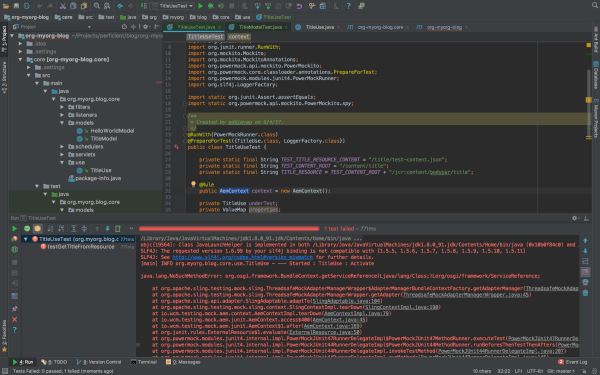
Here, I am taking the title component I developed from my previous blog as an example. I have written two sample JUnit test classes, one is for TitleUse.java, which extends WCMUsePojo, the other is for TitleModel.java, which is a Sling Models class. You can find all the source code in my GitHub project.

Note: this was tested on AEM 6.2, 6.3
When you use the AemContext object in your test class, and your project skeleton was generated by Adobe Maven Archetype 10, like mine, you may find several issues when you run the test code. Those can be fixed by modifying the Maven dependencies in your POM file. Issues:

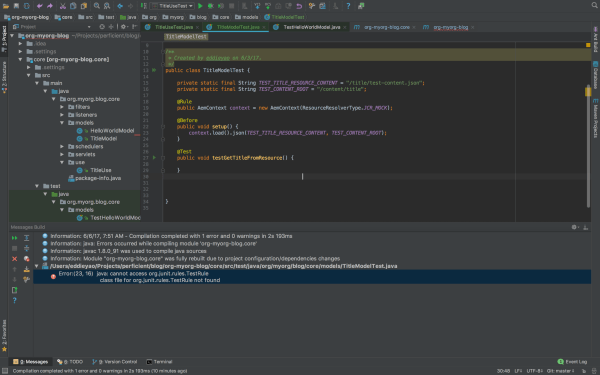
1. java.lang.NoClassDefFoundError: org/junit/rules/TestRule
java.lang.ClassNotFoundException: org.junit.rules.TestRule


Resolved by: validating the maven dependencies of test scope, here’s a working copy in my parent POM:
<dependency>
<groupId>junit</groupId>
<artifactId>junit</artifactId>
<version>4.12</version>
<scope>test</scope>
</dependency>
<dependency>
<groupId>org.slf4j</groupId>
<artifactId>slf4j-simple</artifactId>
<version>1.7.6</version>
<scope>test</scope>
</dependency>
<dependency>
<groupId>org.mockito</groupId>
<artifactId>mockito-core</artifactId>
<version>1.10.19</version>
<scope>test</scope>
</dependency>
<dependency>
<groupId>org.powermock</groupId>
<artifactId>powermock-api-mockito</artifactId>
<version>1.6.4</version>
<scope>test</scope>
</dependency>
<dependency>
<groupId>org.powermock</groupId>
<artifactId>powermock-module-junit4</artifactId>
<version>1.6.4</version>
<scope>test</scope>
</dependency>
<dependency>
<groupId>org.apache.commons</groupId>
<artifactId>commons-imaging</artifactId>
<version>1.0-R1534292</version>
<scope>test</scope>
</dependency>
<dependency>
<groupId>io.wcm</groupId>
<artifactId>io.wcm.testing.aem-mock</artifactId>
<version>2.1.0</version>
<scope>test</scope>
<exclusions>
<exclusion>
<groupId>org.apache.commons</groupId>
<artifactId>commons-imaging</artifactId>
</exclusion>
</exclusions>
</dependency>
<!-- for testing we need the new ResourceTypeBasedResourcePicker -->
<dependency>
<groupId>org.apache.sling</groupId>
<artifactId>org.apache.sling.models.impl</artifactId>
<version>1.3.0</version>
<scope>test</scope>
</dependency>

lang.NoSuchMethodError:
org.osgi.framework.BundleContext.getServiceReference(Ljava/lang/Class;)Lorg/osgi/framework/ServiceReference;

Resolved by: validating the version of the osgi-core library, here’s a working copy in my parent POM:
<dependency>
<groupId>org.osgi</groupId>
<artifactId>osgi.core</artifactId>
<version>6.0.0</version>
<scope>provided</scope>
</dependency>
<dependency>
<groupId>org.osgi</groupId>
<artifactId>osgi.cmpn</artifactId>
<version>6.0.0</version>
<scope>provided</scope>
</dependency>


lang.NoSuchMethodError: org.slf4j.helpers.MessageFormatter.arrayFormat(Ljava/lang/String;[Ljava/lang/Object;]Lorg/slf4j/helpers/FormattingTuple;

Resolved by: validating the version of the slf4j library, here’s a working copy in my parent POM:
<dependency>
<groupId>org.slf4j</groupId>
<artifactId>slf4j-api</artifactId>
<version>1.7.6</version>
<scope>provided</scope>
</dependency>
<dependency>
<groupId>org.slf4j</groupId>
<artifactId>slf4j-simple</artifactId>
<version>1.7.6</version>
<scope>test</scope>
</dependency>


The package version numbers above are based on AEM 6.3, since I am using Sling Models API 1.3 features like associating a model class with a resource type and exporter framework. If you are on AEM 6.2 or lower, you may find some imported packages cannot be resolved in your bundle, you can either manually install the Sling Models 1.3 bundle, or adjust your package version number. Simply check the unresolved bundle in Package Dependencies (http://localhost:4502/system/console/depfinder) and locate the maven dependency in your POM file. Also, be aware of the version number of uber-jar or other bundles to provide AEM APIs and match those with your AEM version.

The Adobe Maven Archetype (10 or 11) didn’t generate a test resource structure, so if you want to use test resources for your test classes, you will need to set up the structure in your project.

Basically, you will create a folder under /core/src/test/resources, and put your component test resources in there. In IntelliJ, after you create the directory, you can mark it as Test Resource Root. The resource files you put in the resources folder can be loaded from your test class.

Now that you have everything set up for you to write JUnit test cases for your component class, here’re the steps:

1. Create the test class in the same package path under /core/src/test/java.
2. Know the JUnit annotations that you are going to use.
a. If you are using wcm.io’s AEM mock context object, you will need the @Rule annotation. The rule will run any Before methods, then the Test method, and finally any After methods, throwing an exception if any of these fail, so you don’t need to define the object repeatedly in those scenarios.
b. @Before annotation is used for set up methods (like assigning common mocked values, loading test content and binding it to Sling request variables) to be called before the actual test cases run.
c. @Test annotation holds statements for each test case to be run for the test class.

3. For Sling Models specifically:
a. If you are using wcm.io’s AEM mock context object, you will need to register models from package by context.addModelsForPackage("org.myorg.blog.core.models");
b. If you are using resourceType feature in Sling Models API 1.3, you may register ResourceTypeBasedResourcePicker service in mocked OSGI environment, by context.registerService(ImplementationPicker.class, new ResourceTypeBasedResourcePicker());
c. If you are using @ScriptVariable in your Sling Models class to provide script objects (i.e. currentPage, properties…), you may use SlingBindings class in your test class to add those objects by

slingBindings = (SlingBindings) context.request().getAttribute(SlingBindings.class.getName());

slingBindings.put(WCMBindings.CURRENT_PAGE, page);

d. Call the Sling Models class by underTest = context.request().adaptTo(TitleModel.class);

4. Write different test cases based on your code design and logic
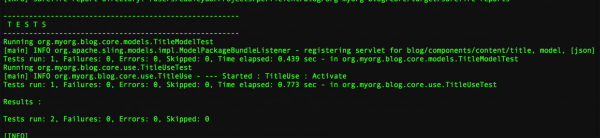
5. Run your unit test class

Differences between writing test class for WCMUsePojo (ComponentUseTest.java) and for Sling Models (ComponentModelTest.java):

1. In ComponentUseTest you mock/spy an instance of your use class, whereas in ComponentModelTest you call the Sling Models class directly;

2. In ComponentUseTest you heavily rely on Mockito/PowerMockito to mock the objects returned from WCMUsePojo APIs, whereas in ComponentModelTest you can just set up the context objects and Sling Models will be able to inject the properties/script variables from those context objects;

3. In ComponentUseTest you initialize the use class by calling activate() the method, whereas in ComponentModelTest you initialize the Sling Models class by calling adaptTo() method.

I hope after this article, you get more knowledge about writing JUnit test class for your component Java code and know the difference between writing test class for WCMUsePojo and for Sling Models.

If you want to know more about unit testing and AEM mocks, I found these two decks online that are helpful, one is an AEM GEMS resource, the other is an adaptTo() presentation. And if you missed my first post on switching from WCMUsePojo API to Sling Models in Adobe Experience Manager, you can read it here.


By aem4beginner

December 28, 2020
Estimated Post Reading Time ~

AEM Sling Model Constructor Injection

Sling Models field injection, @inject, are used to support injection of AEM Library-specific context objects. However, there is an alternative way to inject AEM objects into Sling Models, and its called Constructor Injection.

The benefits of Sling Model Constructor Injection:
  • Does not store the injection references to the adaptable.
  • Since it does not store injection references to the adapted object, the result of the adapted object has a smaller memory byte size.
  • Reducing AEM application consumption
1. Sling Model using Field Injection Example:

The example below illustrates a Sling Model field injection of 35 different AEM objects to be available for the adapted object. This example displays how specific Sling Model annotations are being used, references are stored to the adapted object.

MyModel.class:
package com.sourcedcode.core.models;

import com.adobe.cq.sightly.SightlyWCMMode;
import com.adobe.cq.sightly.WCMScriptHelper;
import com.day.cq.wcm.api.PageManager;
import com.day.cq.wcm.api.components.Component;
import com.day.cq.wcm.api.components.ComponentContext;
import com.day.cq.wcm.api.components.EditContext;
import com.day.cq.wcm.api.designer.Design;
import com.day.cq.wcm.api.designer.Designer;
import com.day.cq.wcm.api.designer.Style;
import org.apache.log4j.Logger;
import org.apache.sling.api.SlingHttpServletRequest;
import org.apache.sling.api.SlingHttpServletResponse;
import org.apache.sling.api.resource.Resource;
import org.apache.sling.api.resource.ResourceResolver;
import org.apache.sling.api.resource.ValueMap;
import org.apache.sling.api.scripting.SlingScriptHelper;
import org.apache.sling.models.annotations.DefaultInjectionStrategy;
import org.apache.sling.models.annotations.Model;
import org.apache.sling.models.annotations.injectorspecific.*;
import org.apache.sling.settings.SlingSettingsService;
import org.apache.sling.xss.XSSAPI;

import javax.annotation.PostConstruct;
import javax.jcr.Node;
import javax.servlet.http.HttpSession;
import java.io.BufferedReader;
import java.io.PrintWriter;
import java.util.List;

@Model(adaptables = {SlingHttpServletRequest.class, Resource.class}, defaultInjectionStrategy = DefaultInjectionStrategy.OPTIONAL)
public class MyModel {

@ScriptVariable
private Component component;

@ScriptVariable
private ComponentContext componentContext;

@ScriptVariable
private Design currentDesign;

@ScriptVariable
private Node currentNode;

@ScriptVariable
private com.day.cq.wcm.api.Page currentPage;

@ScriptVariable
private HttpSession currentSession;

@ScriptVariable
private Style currentStyle;

@ScriptVariable
private Style currentStyleCustomScriptVarName;

@ScriptVariable
private Designer designer;

@ScriptVariable
private EditContext editContext;

@ScriptVariable
private Logger log;

@ScriptVariable
private PrintWriter out;

@ScriptVariable
private PageManager pageManager;

@ScriptVariable
private ValueMap pageProperties;

@ScriptVariable
private BufferedReader reader;

@ScriptVariable
private SlingHttpServletRequest request;

@ScriptVariable
private ResourceResolver resolver;

@ScriptVariable
private Resource resource;

@ScriptVariable
private Design resourceDesign;

@ScriptVariable
private Page resourcePage;

@ScriptVariable
private SlingHttpServletResponse response;

@ScriptVariable
private SlingScriptHelper sling;

@ScriptVariable
private WCMScriptHelper slyWcmHelper;

@ScriptVariable
private SightlyWCMMode wcmmode;

@ScriptVariable
private XSSAPI xssAPI;

@ValueMapValue
private String linkPath;

@ValueMapValue
private String homePagePath;

@ChildResource
private List<Resource> navLinks;

@RequestAttribute
private String socialParam;

@OSGiService
private SlingSettingsService slingSettingsService;

@Self
private Node node;

@SlingObject
private SlingHttpServletRequest slingHttpServletRequest;

@SlingObject
private SlingHttpServletResponse slingHttpServletResponse;

@SlingObject
private Resource currentResource;

@SlingObject
private ResourceResolver resourceResolver;

@PostConstruct
protected void initModel() {
// logic goes here
}
}

2. Sling Model Constructor Injection Example:
Let’s convert the field injection example to use constructor injection from the above example.

This example below shows a Sling Model which injects 35 different AEM objects with Constructor Injection to be available for the adapted object. Once the Sling Model has been adapted, the adapted object does not store injection references. The result of the adapted object has a smaller memory byte size.

The name of a constructor argument parameter cannot be detected via the Java Reflection API, so the @Named annotation is mandatory for injectors that require a name for resolving the injection.

MyModelConstructor.class:
package com.sourcedcode.core.models;

import com.adobe.cq.sightly.SightlyWCMMode;
import com.adobe.cq.sightly.WCMScriptHelper;
import com.day.cq.wcm.api.PageManager;
import com.day.cq.wcm.api.components.Component;
import com.day.cq.wcm.api.components.ComponentContext;
import com.day.cq.wcm.api.components.EditContext;
import com.day.cq.wcm.api.designer.Design;
import com.day.cq.wcm.api.designer.Designer;
import com.day.cq.wcm.api.designer.Style;
import org.apache.log4j.Logger;
import org.apache.sling.api.SlingHttpServletRequest;
import org.apache.sling.api.SlingHttpServletResponse;
import org.apache.sling.api.resource.Resource;
import org.apache.sling.api.resource.ResourceResolver;
import org.apache.sling.api.resource.ValueMap;
import org.apache.sling.api.scripting.SlingScriptHelper;
import org.apache.sling.models.annotations.DefaultInjectionStrategy;
import org.apache.sling.models.annotations.Model;
import org.apache.sling.models.annotations.injectorspecific.*;
import org.apache.sling.settings.SlingSettingsService;
import org.apache.sling.xss.XSSAPI;

import javax.inject.Inject;
import javax.inject.Named;
import javax.jcr.Node;
import javax.servlet.http.HttpSession;
import java.io.BufferedReader;
import java.io.PrintWriter;
import java.io.Serializable;
import java.util.List;

@Model(adaptables = {SlingHttpServletRequest.class, Resource.class}, defaultInjectionStrategy = DefaultInjectionStrategy.OPTIONAL)
public class MyModelConstructor implements Serializable {

@Inject
public MyModelConstructor(
@ScriptVariable @Named("component") final Component component,
@ScriptVariable @Named("componentContext") final ComponentContext componentContext,
@ScriptVariable @Named("currentDesign") final Design currentDesign,
@ScriptVariable @Named("currentNode") final Node currentNode,
@ScriptVariable @Named("currentPage") final com.day.cq.wcm.api.Page currentPage,
@ScriptVariable @Named("currentSession") final HttpSession currentSession,
@ScriptVariable @Named("currentStyle") final Style currentStyle,
@ScriptVariable @Named("currentStyle") final Style currentStyleCustomScriptVarName,
@ScriptVariable @Named("designer") final Designer designer,
@ScriptVariable @Named("editContext") final EditContext editContext,
@ScriptVariable @Named("log") final Logger log,
@ScriptVariable @Named("out") final PrintWriter out,
@ScriptVariable @Named("pageManager") final PageManager pageManager,
@ScriptVariable @Named("pageProperties") final ValueMap pageProperties,
@ScriptVariable @Named("reader") final BufferedReader reader,
@ScriptVariable @Named("request") final SlingHttpServletRequest request,
@ScriptVariable @Named("resolver") final ResourceResolver resolver,
@ScriptVariable @Named("resource") final Resource resource,
@ScriptVariable @Named("resourceDesign") final Design resourceDesign,
@ScriptVariable @Named("resourcePage") final Page resourcePage,
@ScriptVariable @Named("response") final SlingHttpServletResponse response,
@ScriptVariable @Named("sling") final SlingScriptHelper sling,
@ScriptVariable @Named("slyWcmHelper") final WCMScriptHelper slyWcmHelper,
@ScriptVariable @Named("wcmmode") final SightlyWCMMode wcmmode,
@ScriptVariable @Named("xssAPI") final XSSAPI xssAPI,
@ValueMapValue @Named("locationsMenusDefaultLinkPath") final String customLocationsMenusDefaultLinkPath,
@ValueMapValue @Named("homePagePath") final String homePagePath,
@ChildResource @Named("navLinks") final List<Resource> navLinks,
@RequestAttribute @Named("socialParam") final String socialParam,
@OSGiService @Named("slingSettingsService") final SlingSettingsService slingSettingsService,
@Self @Named("node") final Node node,
@SlingObject @Named("slingHttpServletRequest") final SlingHttpServletRequest slingHttpServletRequest,
@SlingObject @Named("slingHttpServletResponse") SlingHttpServletResponse slingHttpServletResponse,
@SlingObject @Named("currentResource") final Resource currentResource,
@SlingObject @Named("resourceResolver") final ResourceResolver resourceResolver
) {
// logic goes here
}
}


Note:
Using the constructor injection strategy can also reduce memory consumption of your application.


By aem4beginner

AEM Sling Model Field Injection vs Constructor Injection Memory Consumption

Sling Models field injectors are used to support injection of AEM Library-specific context objects. For example, @ScriptVariable SightlyWCMMode will inject the WCMMode object, @ScriptVariable Resource will inject the current resource object, and @ScriptVariable Style will inject the Style object. These objects are typically stored within the object, so it can be later used to construct the Sling Model’s properties to make available to the context who’s calling it.

With the Apache Sling Model’s injector specific annotations, we are able to inject Sling Objects, AEM Services, OSGI Components, etc… directly into the context of the Sling Model easily without much hassle.

What is the catch? 
Whenever we are injecting objects into our Sling Models via field injection for later use and instantiated Sling Model adaptable stores a reference of those objects in memory; stored injected objects in the Sling Model instance will consume memory.

The Sling Model constructor injection is also supported (as of Sling Models 1.1.0), and it's documented that it does not store the reference to the adaptable, lets test this out.

In this article, we will test the Sling Model memory consumption with two scenarios:

Test 1: Sling Model Field Injectors
I have 3 injected AEM objects to be stored in my class variables into my Sling Model via field injection; another 3 variables used to expose data to the calling context. Each AEM objects will then be used in the @PostConstruct method, where data would be extracted from each object, and set in the class variables for exposure to the calling context.

I then ran a test for getting the bytes in size for a specific object using the Lucene’s until RamUsageEstimator.

The memory byte size of the Sling Model adaptable object is 40.

MyModel.class : RamUsageEstimator Results:
import org.apache.lucene.util.RamUsageEstimator;
...
System.out.println("MyModel.class + shallowSizeOf:" + org.apache.lucene.util.RamUsageEstimator.shallowSizeOf(req.adaptTo(MyModel.class)));


MyModel.class:

package com.sourcedcode.core.models;

import lombok.Getter;
import org.apache.sling.api.SlingHttpServletRequest;
import org.apache.sling.api.resource.Resource;
import org.apache.sling.models.annotations.DefaultInjectionStrategy;
import org.apache.sling.models.annotations.Model;
import org.apache.sling.models.annotations.injectorspecific.ScriptVariable;
import org.apache.sling.models.annotations.injectorspecific.SlingObject;

import javax.annotation.PostConstruct;

@Model(adaptables = {SlingHttpServletRequest.class,
Resource.class}, defaultInjectionStrategy = DefaultInjectionStrategy.OPTIONAL)
public class MyModel {

@ScriptVariable
private Resource resource;

@ScriptVariable
private com.day.cq.wcm.api.Page currentPage;

@SlingObject
private SlingHttpServletRequest slingHttpServletRequest;

@Getter
private String currentResourcePath;

@Getter
private String currentPagePagePath;

@Getter
private String requestParam;


@PostConstruct
protected void initModel() {
currentResourcePath = resource.getPath();
currentPagePagePath = currentPage.getPath();
requestParam = slingHttpServletRequest.getParameter("myParam");
}
}

Test 2: Sling Model Constructor Injection
I have 3 injected AEM objects via Constructor Injection; another 3 variables used to expose data to the calling context. This time, I am not storing the AEM objects in as class variables. We can definitely see a change in byes size here.

The memory byte size of the Sling Model adaptable object is 24.

MyModelConstructor.class : RamUsageEstimator Results:
import org.apache.lucene.util.RamUsageEstimator;
...
System.out.println("MyModelConstructor.class + shallowSizeOf:" + org.apache.lucene.util.RamUsageEstimator.shallowSizeOf(req.adaptTo(MyModelConstructor.class)));


MyModelConstructor.class:
package com.sourcedcode.core.models;

import lombok.Getter;
import org.apache.sling.api.SlingHttpServletRequest;
import org.apache.sling.api.resource.Resource;
import org.apache.sling.models.annotations.DefaultInjectionStrategy;
import org.apache.sling.models.annotations.Model;
import org.apache.sling.models.annotations.injectorspecific.ScriptVariable;
import org.apache.sling.models.annotations.injectorspecific.SlingObject;

import javax.inject.Inject;
import javax.inject.Named;

@Model(adaptables = {SlingHttpServletRequest.class, Resource.class}, defaultInjectionStrategy = DefaultInjectionStrategy.OPTIONAL)
public class MyModelConstructor {

@Getter
private String currentResourcePath;

@Getter
private String currentPagePagePath;

@Getter
private String requestParam;

@Inject
public MyModelConstructor(
@ScriptVariable @Named("currentPage") final com.day.cq.wcm.api.Page currentPage,
@ScriptVariable @Named("resource") final Resource resource,
@SlingObject @Named("slingHttpServletRequest") final SlingHttpServletRequest slingHttpServletRequest
) {
currentResourcePath = resource.getPath();
currentPagePagePath = currentPage.getPath();
requestParam = slingHttpServletRequest.getParameter("myParam");
}
}


Conclusion
  • An AEM object that has been field injected into a variable that is only being minimally used holds onto memory which will/can be wasting resources. If AEM objects are not needed, then the Constructor Injection method can be appropriately used.
  • It’s not rocket science. We see the results! Test 2 has fewer instance variables than Test 1; of course Test 2 will have a smaller Object (in byte size) than Test 1.
  • My only recommendation is this. When you are using AEM Objects, ask yourself, how is this Object being used?
  • This article highlights why Sling Model Constructor Injection via constructor is useful in our AEM development.


By aem4beginner

AEM Sling Models Unit Test Constructor Injection Example

In this example, we will take a look at how we can mock Sling Model Constructor Injection dependencies for a JUnit 4 Unit test.

Scenario:
The Sling Model must expose either the PROD_URL or the DEAFULT_URL endpoint based on the run mode or request parameters; this is the requirement. The example below will demonstrate the implementation of logic utilizing Sling Model Constructor injection, show Unit test examples, and how mocked dependencies can be Sling Model Constructor injected during the test phase. This completes the example.

Environment:
AEM project archetype 19 (link)
Mockito 2.27.0 (link)
AEM Mocks JUnit 4 2.7.2 (link)

This example uses the AEM project archetype 19 to generate a new AEM project, Junit 4 will be used as the testing framework, Mockito 2.27.0 will be used as the mocking framework, and AEM Mocks will be used to mock AEM objects and AEM objects.

What’s really great about the latest versions of AEM mocks, is that the setup is very minimal. After spinning up a new AEM project from the AEM project archetype 19, you simply need to include the AEM Mocks dependency, and you are ready to go!

Dependencies
// pom.xml
<!-- Maven Surefire Plugin -->
<plugin>
<groupId>org.apache.maven.plugins</groupId>
<artifactId>maven-surefire-plugin</artifactId>
<version>2.20</version>
<configuration>
<junitArtifactName>junit:junit:4</junitArtifactName>
</configuration>
</plugin>
...
<dependencies>
...
<dependency>
<groupId>io.wcm</groupId>
<artifactId>io.wcm.testing.aem-mock</artifactId>
<version>2.7.2</version>
<scope>test</scope>
</dependency>
...
</dependencies>

// core/pom.xml
<dependencies>
...
<dependency>
<groupId>io.wcm</groupId>
<artifactId>io.wcm.testing.aem-mock</artifactId>
</dependency>
...
</dependencies>


Sling Model Test Class : ConstructorInjection.class
package com.sourcedcode.core.models;

import com.adobe.cq.export.json.ExporterConstants;
import lombok.Getter;
import org.apache.sling.api.SlingHttpServletRequest;
import org.apache.sling.api.resource.Resource;
import org.apache.sling.models.annotations.DefaultInjectionStrategy;
import org.apache.sling.models.annotations.Exporter;
import org.apache.sling.models.annotations.Model;
import org.apache.sling.models.annotations.injectorspecific.OSGiService;
import org.apache.sling.models.annotations.injectorspecific.SlingObject;
import org.apache.sling.settings.SlingSettingsService;

import javax.inject.Inject;
import javax.inject.Named;

import static org.apache.commons.lang3.StringUtils.EMPTY;
import static org.apache.commons.lang3.StringUtils.isNotEmpty;

@Model(adaptables = {SlingHttpServletRequest.class, Resource.class}, defaultInjectionStrategy = DefaultInjectionStrategy.OPTIONAL)
@Exporter(name = ExporterConstants.SLING_MODEL_EXPORTER_NAME, extensions = ExporterConstants.SLING_MODEL_EXTENSION)
public class ConstructorInjection {

protected static final String API_URL_PROD = "https://api.sourcedcode.com/v1/constructors";
protected static final String API_URL_DEFAULT = "https://uat-api.sourcedcode.com/v1/constructors";

@Getter
private String apiUrl = EMPTY;

@Inject
public ConstructorInjection(@OSGiService @Named("slingSettingsService") final SlingSettingsService slingSettingsService,
@SlingObject @Named("slingHttpServletRequest") final SlingHttpServletRequest request) {
boolean isProd = slingSettingsService.getRunModes().contains("prod");
boolean isParamProd = isNotEmpty(request.getParameter("prod")) && request.getParameter("prod").equals("true");
if (isProd || isParamProd) {
apiUrl = API_URL_PROD;
} else {
apiUrl = API_URL_DEFAULT;
}
}
}


Sling Model Test Class : ConstructorInjectionTest.class
package com.sourcedcode.core.models;

import io.wcm.testing.mock.aem.junit.AemContext;
import org.apache.sling.api.SlingHttpServletRequest;
import org.apache.sling.settings.SlingSettingsService;
import org.apache.sling.testing.mock.sling.ResourceResolverType;
import org.junit.Rule;
import org.junit.Test;
import org.junit.runner.RunWith;
import org.mockito.InjectMocks;
import org.mockito.Mock;
import org.mockito.junit.MockitoJUnitRunner;

import java.util.Collections;

import static org.junit.Assert.assertEquals;
import static uk.co.whitbread.wlrestaurants.core.models.ConstructorInjection.API_URL_DEFAULT;
import static uk.co.whitbread.wlrestaurants.core.models.ConstructorInjection.API_URL_PROD;

@RunWith(MockitoJUnitRunner.class)
public class ConstructorInjectionTest {

@Rule
public final AemContext context = new AemContext(ResourceResolverType.JCR_MOCK);

@Mock
private SlingSettingsService slingSettingsService;

@Mock
SlingHttpServletRequest request;

@InjectMocks
private ConstructorInjection underTest;

@Test
public void apiUrl_should_return_PROD_url_when_runmode_prod() {
context.runMode("prod");
underTest = context.request().adaptTo(ConstructorInjection.class);
assert underTest != null;
assertEquals(API_URL_PROD, underTest.getApiUrl());
}

@Test
public void apiUrl_should_return_DEFAULT_url_when_runmode_not_prod() {
context.runMode("staging");
underTest = context.request().adaptTo(ConstructorInjection.class);
assert underTest != null;
assertEquals(API_URL_DEFAULT, underTest.getApiUrl());
}

@Test
public void apiUrl_should_return_PROD_url_when_param_prod_equals_true() {
context.request().setParameterMap(Collections.singletonMap("prod", "true"));
underTest = context.request().adaptTo(ConstructorInjection.class);
assert underTest != null;
assertEquals(API_URL_PROD, underTest.getApiUrl());
}

@Test
public void apiUrl_should_return_DEFAULT_url_when_param_prod_equals_not_true() {
context.request().setParameterMap(Collections.singletonMap("prod", "test"));
underTest = context.request().adaptTo(ConstructorInjection.class);
assert underTest != null;
assertEquals(API_URL_DEFAULT, underTest.getApiUrl());

}
}


By aem4beginner

AEM Sling Models Injectors Service Ranking

When working on an AEM project, Sling Models provides several custom Sling Models injectors to aid injection of Sling objects, Sling object values, OSGI services, etc…

While using the injectors within in Sling Models, how do injectors invoke in order? Injectors are invoked in order, of their service ranking, from lowest to highest. If you are writing a custom injector, it is good practice to include service ranking.

Examples of the common injectors and their service ranking from the Apache Sling Models available injectors, injector-specific annotations, list (since version 1.1.0):
  • @ScriptVariable, 1000
  • @ValueMapValue, 2000
  • @ChildResource, 3000
  • @RequestAttribute, 4000
  • @ResourcePath, 2500
  • @OSGiService, 5000
  • @Self, 2147483647 (Integer.MAX_VALUE)
  • @SlingObject, 2147483647 (Integer.MAX_VALUE)
Example of the @OSGIService, injector:
An example below illustrates the @OSGIService, injector specific annotation, which here we understand that the Service Ranking is set to 5000.

/*
* Licensed to the Apache Software Foundation (ASF) under one or more
* contributor license agreements. See the NOTICE file distributed with
* this work for additional information...
*/
package org.apache.sling.models.impl.injectors;

import java.lang.reflect.AnnotatedElement;
import java.lang.reflect.Array;
import java.lang.reflect.ParameterizedType;
import java.lang.reflect.Type;
import java.util.ArrayList;
import java.util.Arrays;
import java.util.Collection;
import java.util.Collections;
import java.util.List;

import org.apache.commons.lang3.StringUtils;
import org.apache.sling.models.annotations.Filter;
import org.apache.sling.models.annotations.injectorspecific.InjectionStrategy;
import org.apache.sling.models.annotations.injectorspecific.OSGiService;
import org.apache.sling.models.spi.AcceptsNullName;
import org.apache.sling.models.spi.DisposalCallback;
import org.apache.sling.models.spi.DisposalCallbackRegistry;
import org.apache.sling.models.spi.Injector;
import org.apache.sling.models.spi.injectorspecific.AbstractInjectAnnotationProcessor2;
import org.apache.sling.models.spi.injectorspecific.InjectAnnotationProcessor2;
import org.apache.sling.models.spi.injectorspecific.StaticInjectAnnotationProcessorFactory;
import org.jetbrains.annotations.NotNull;
import org.jetbrains.annotations.Nullable;
import org.osgi.framework.BundleContext;
import org.osgi.framework.Constants;
import org.osgi.framework.InvalidSyntaxException;
import org.osgi.framework.ServiceReference;
import org.osgi.service.component.annotations.Activate;
import org.osgi.service.component.annotations.Component;
import org.slf4j.Logger;
import org.slf4j.LoggerFactory;

@Component(property=Constants.SERVICE_RANKING+":Integer=5000", service={Injector.class, StaticInjectAnnotationProcessorFactory.class, AcceptsNullName.class})
public class OSGiServiceInjector implements Injector, StaticInjectAnnotationProcessorFactory, AcceptsNullName {

private static final Logger log = LoggerFactory.getLogger(OSGiServiceInjector.class);

private BundleContext bundleContext;

@Override
public @NotNull String getName() {
return "osgi-services";
}

@Activate
public void activate(BundleContext ctx) {
this.bundleContext = ctx;
}

@Override
public Object getValue(@NotNull Object adaptable, String name, @NotNull Type type, @NotNull AnnotatedElement element,
@NotNull DisposalCallbackRegistry callbackRegistry) {
return getValue(adaptable, name, type, element, callbackRegistry, bundleContext);
}

/**
*
* @param adaptable
* @param name
* @param type
* @param element
* @param callbackRegistry
* @param modelContext
* @return
*/
public Object getValue(@NotNull Object adaptable, String name, @NotNull Type type, @NotNull AnnotatedElement element,
@NotNull DisposalCallbackRegistry callbackRegistry, @Nullable BundleContext modelContext) {
OSGiService annotation = element.getAnnotation(OSGiService.class);
String filterString = null;
if (annotation != null) {
if (StringUtils.isNotBlank(annotation.filter())) {
filterString = annotation.filter();
}
} else {
Filter filter = element.getAnnotation(Filter.class);
if (filter != null) {
filterString = filter.value();
}
}
return getValue(adaptable, type, filterString, callbackRegistry, modelContext == null ? bundleContext : modelContext);
}

private <T> Object getService(Object adaptable, Class<T> type, String filter,
DisposalCallbackRegistry callbackRegistry, BundleContext modelContext) {
// cannot use SlingScriptHelper since it does not support ordering by service ranking due to https://issues.apache.org/jira/browse/SLING-5665
try {
ServiceReference<?>[] refs = modelContext.getServiceReferences(type.getName(), filter);
if (refs == null || refs.length == 0) {
return null;
} else {
// sort by service ranking (lowest first) (see ServiceReference.compareTo)
List<ServiceReference<?>> references = Arrays.asList(refs);
Collections.sort(references);
callbackRegistry.addDisposalCallback(new Callback(refs, modelContext));
return modelContext.getService(references.get(references.size() - 1));
}
} catch (InvalidSyntaxException e) {
log.error("invalid filter expression", e);
return null;
}
}

private <T> Object[] getServices(Object adaptable, Class<T> type, String filter,
DisposalCallbackRegistry callbackRegistry, BundleContext modelContext) {
// cannot use SlingScriptHelper since it does not support ordering by service ranking due to https://issues.apache.org/jira/browse/SLING-5665
try {
ServiceReference<?>[] refs = modelContext.getServiceReferences(type.getName(), filter);
if (refs == null || refs.length == 0) {
return null;
} else {
// sort by service ranking (lowest first) (see ServiceReference.compareTo)
List<ServiceReference<?>> references = Arrays.asList(refs);
Collections.sort(references);
// make highest service ranking being returned first
Collections.reverse(references);
callbackRegistry.addDisposalCallback(new Callback(refs, modelContext));
List<Object> services = new ArrayList<>();
for (ServiceReference<?> ref : references) {
Object service = modelContext.getService(ref);
if (service != null) {
services.add(service);
}
}
return services.toArray();
}
} catch (InvalidSyntaxException e) {
log.error("invalid filter expression", e);
return null;
}
}

private Object getValue(Object adaptable, Type type, String filterString, DisposalCallbackRegistry callbackRegistry,
BundleContext modelContext) {
if (type instanceof Class) {
Class<?> injectedClass = (Class<?>) type;
if (injectedClass.isArray()) {
Object[] services = getServices(adaptable, injectedClass.getComponentType(), filterString,
callbackRegistry, modelContext);
if (services == null) {
return null;
}
Object arr = Array.newInstance(injectedClass.getComponentType(), services.length);
for (int i = 0; i < services.length; i++) {
Array.set(arr, i, services[i]);
}
return arr;
} else {
return getService(adaptable, injectedClass, filterString, callbackRegistry, modelContext);
}
} else if (type instanceof ParameterizedType) {
ParameterizedType ptype = (ParameterizedType) type;
if (ptype.getActualTypeArguments().length != 1) {
return null;
}
Class<?> collectionType = (Class<?>) ptype.getRawType();
if (!(collectionType.equals(Collection.class) || collectionType.equals(List.class))) {
return null;
}

Class<?> serviceType = (Class<?>) ptype.getActualTypeArguments()[0];
Object[] services = getServices(adaptable, serviceType, filterString, callbackRegistry, modelContext);
if (services == null) {
return null;
}
return Arrays.asList(services);
} else {
log.warn("Cannot handle type {}", type);
return null;
}
}

private static class Callback implements DisposalCallback {
private final ServiceReference<?>[] refs;
private final BundleContext context;

public Callback(ServiceReference<?>[] refs, BundleContext context) {
this.refs = refs;
this.context = context;
}

@Override
public void onDisposed() {
if (refs != null) {
for (ServiceReference<?> ref : refs) {
context.ungetService(ref);
}
}
}
}

@Override
public InjectAnnotationProcessor2 createAnnotationProcessor(AnnotatedElement element) {
// check if the element has the expected annotation
OSGiService annotation = element.getAnnotation(OSGiService.class);
if (annotation != null) {
return new OSGiServiceAnnotationProcessor(annotation);
}
return null;
}

private static class OSGiServiceAnnotationProcessor extends AbstractInjectAnnotationProcessor2 {

private final OSGiService annotation;

public OSGiServiceAnnotationProcessor(OSGiService annotation) {
this.annotation = annotation;
}

@Override
public InjectionStrategy getInjectionStrategy() {
return annotation.injectionStrategy();
}

@Override
@SuppressWarnings("deprecation")
public Boolean isOptional() {
return annotation.optional();
}
}
}


NOTE:
  • The source code can be found from the Github repository, Apache Sling Models Implementation, here.
  • The official documentation for the Sling Models available injector’s service ranking status can be found here.


By aem4beginner

AEM Sling Model Injectors Annotations Reference Guide

The Apache Sling Model enables injector specific annotations which aggregate the standard annotations for each of the available injectors, which are: Script Bindings, Value Map, Resource Path, Child Resources, Request Attributes, OSGI Services, Self, and the Sling Object.

Sure we can invoke injectors by the @inject, followed by the @source annotation (with an injector name) as so, @Inject @Source(“script-bindings”), but invoking such injectors introduces many more lines of code which is tedious and repetitive. Using the @inject annotation freely may cause injector collisions.

Thankfully Apache’s Sling Model library delivered the injector specific annotations!
The injector specific annotations enable us, developers, to write less code, enables stability with injectors to demise injector collisions, and enables better IDE support.

This article will provide examples (used in practice) that will include both ways to invoke injectors in Sling Models, using the @Inject & @Source annotations, and also the Apache Sling Model injector specific annotations approach.

Available Injectors
1. Script Bindings (name=”script-bindings”) Injector
Service Ranking: 1000
Annotation: @ScriptVariable
Description: Injects objects via script variable defined from Sling Bindings; Lookup objects in the script bindings object by name.

As you can see, the example below indicated that there are many ways to inject within the POJO:

Without the injector specific annotations:

1. @Inject @Source(“script-bindings”) @Named(“component”)
2. @Inject @Source(“script-bindings”)

With the injector specific annotations:
3. @ScriptVariable(name = “component”)
4. @ScriptVariable

Note: If the name is not set (using the @Named annotation or name property), then the name is derived from the method/property/variable/field name.

@Model(adaptables = Resource.class,
defaultInjectionStrategy = DefaultInjectionStrategy.OPTIONAL)
public class ExampleComponent {

// @Inject @Source("script-bindings") @Named("component")
// @Inject @Source("script-bindings")
// @ScriptVariable(name = "component")
@ScriptVariable
private Component component;

// @Inject @Source("script-bindings") @Named("componentContext")
// @Inject @Source("script-bindings")
@ScriptVariable
private ComponentContext componentContext;

// @Inject @Source("script-bindings") @Named("currentDesign")
// @Inject @Source("script-bindings")
@ScriptVariable
private Design currentDesign;

// @Inject @Source("script-bindings") @Named("currentNode")
// @Inject @Source("script-bindings")
@ScriptVariable
private Node currentNode;

// @Inject @Source("script-bindings") @Named("currentPage")
// @Inject @Source("script-bindings")
@ScriptVariable
private Page currentPage;

// @Inject @Source("script-bindings") @Named("currentSession")
// @Inject @Source("script-bindings")
@ScriptVariable
private HttpSession currentSession;

// @Inject @Source("script-bindings") @Named("currentStyle")
// @Inject @Source("script-bindings")
@ScriptVariable
private Style currentStyle;

// @Inject @Source("script-bindings") @Named("designer")
// @Inject @Source("script-bindings")
@ScriptVariable
private Designer designer;

// @Inject @Source("script-bindings") @Named("editContext")
// @Inject @Source("script-bindings")
@ScriptVariable
private EditContext editContext;

// @Inject @Source("script-bindings") @Named("log")
// @Inject @Source("script-bindings")
@ScriptVariable
private Logger log;

// @Inject @Source("script-bindings") @Named("out")
// @Inject @Source("script-bindings")
@ScriptVariable
private PrintWriter out;

// @Inject @Source("script-bindings") @Named("pageManager")
// @Inject @Source("script-bindings")
@ScriptVariable
private PageManager pageManager;

// @Inject @Source("script-bindings") @Named("pageProperties")
// @Inject @Source("script-bindings")
@ScriptVariable
private ValueMap pageProperties;

// @Inject @Source("script-bindings") @Named("reader")
// @Inject @Source("script-bindings")
@ScriptVariable
private BufferedReader reader;

// @Inject @Source("script-bindings") @Named("request")
// @Inject @Source("script-bindings")
@ScriptVariable
private SlingHttpServletRequest request;

// @Inject @Source("script-bindings") @Named("resolver")
// @Inject @Source("script-bindings")
@ScriptVariable
private ResourceResolver resolver;

// @Inject @Source("script-bindings") @Named("resource")
// @Inject @Source("script-bindings")
@ScriptVariable
private Resource resource;

// @Inject @Source("script-bindings") @Named("resourceDesign")
// @Inject @Source("script-bindings")
@ScriptVariable
private Design resourceDesign;

// @Inject @Source("script-bindings") @Named("resourcePage")
// @Inject @Source("script-bindings")
@ScriptVariable
private Page resourcePage;

// @Inject @Source("script-bindings") @Named("response")
// @Inject @Source("script-bindings")
@ScriptVariable
private SlingHttpServletResponse response;

// @Inject @Source("script-bindings") @Named("sling")
// @Inject @Source("script-bindings")
@ScriptVariable
private SlingScriptHelper sling;

// @Inject @Source("script-bindings") @Named("slyWcmHelper")
// @Inject @Source("script-bindings")
@ScriptVariable
private WCMScriptHelper slyWcmHelper;

// @Inject @Source("script-bindings") @Named("wcmmode")
// @Inject @Source("script-bindings")
@ScriptVariable
private SightlyWCMMode wcmmode;

// @Inject @Source("script-bindings") @Named("xssAPI")
// @Inject @Source("script-bindings")
@ScriptVariable
private XSSAPI xssAPI;
}


2. Value Map (name=”valuemap”) Injector
Service Ranking: 2000
Annotation: @ValueMapValue
Description: Gets a property from a ValueMap by name; If @Via is not set, it will automatically take resource if the adaptable is the SlingHttpServletRequest. If the name is not set the name is derived from the method/field name.

@Model(adaptables = SlingHttpServletRequest.class,
defaultInjectionStrategy = DefaultInjectionStrategy.OPTIONAL)
public class ExampleComponent {

// @Inject @Source("valuemap") @Named("jcr:title")
@ValueMapValue(name = "jcr:title")
private String titleText;

// @Inject @Source("valuemap")
@ValueMapValue
private String titleDescription;
}


3. Resource Path (name=”resource-path”) Injector

Service Ranking: 2500
Annotation: @ResourcePath
Description: Injects one or multiple resources. The resource paths are either given by @Path annotations, the element path or paths of the annotation @ResourcePath, or by paths given through a resource property being referenced by either @Named or element name of the annotation @ResourcePath.

@Model(adaptables = Resource.class,
defaultInjectionStrategy = DefaultInjectionStrategy.OPTIONAL)
public class ExampleComponent {

// @Inject @Source("resource-path") @Path("/content/sourcedcode/en/home")
@ResourcePath(path = "/content/sourcedcode/en/home")
Resource sourcedCodePageResource;

// @Inject @Source("resource-path") @Path("/content/we-retail/language-masters/en")
@ResourcePath(name = "/content/we-retail/language-masters/en")
Resource weRetailPageResource;

// @Inject @Source("resource-path") @Path(paths = {"/content/sourcedcode/en/home","/content/we-retail/language-masters/en"})
@ResourcePath(paths = {"/content/sourcedcode/en/home","/content/we-retail/language-masters/en"})
Resource[] resources;
}

4. Child Resources (name=”child-resources”) Injector
Service Ranking: 3000
Annotation: @ChildResource
Description: Gets a child resource by name.

@Model(adaptables = Resource.class,
defaultInjectionStrategy = DefaultInjectionStrategy.OPTIONAL)
public class ExampleComponent {

// @Inject @Source("child-resources") @Named("links")
// @ChildResource(name="links")
@ChildResource
private Resource links;

// @Inject @Source("child-resources") @Named("links")
// @ChildResource(name="links")
@ChildResource
private List<Resource> links;

// @Inject @Source("child-resources") @Named("social")
// @ChildResource(name="social")
@ChildResource
private Resource social;
}


5. Request Attributes (name=”request-attributes”) Injector
Service Ranking: 4000
Annotation: @RequestAttribute
Description: Injects a request attribute by name. If the name is not set the name is derived from the method/field name.

@Model(adaptables = Resource.class,
defaultInjectionStrategy = DefaultInjectionStrategy.OPTIONAL)
public class ExampleComponent {

// @Inject @Source("request-attributes") @Named("social")
@RequestAttribute(name = "social")
private String socialParam;

public String getSocialParam() {
return socialParam;
}
}


The example below calls the Sling Model using the input parameter:

<div data-sly-use.exampleComponent="${'com.sourcedcode.core.models.ExampleComponent' @ social='facebook'}">
${exampleComponent.socialParam}
</div>


6. OSGi Services (name=”osgi-services”) Injector

Service Ranking:
5000
Annotation: @OSGiService
Description: Injects an OSGi service by type; Lookup services based on the class name. Since Sling Models Impl 1.2.8 (SLING-5664) the service with the highest service ranking is returned. In case multiple services are returned, they are ordered descending by their service ranking (i.e. the one with the highest-ranking first).

@Model(adaptables = Resource.class,
defaultInjectionStrategy = DefaultInjectionStrategy.OPTIONAL)
public class ExampleComponent {

// @Inject @Source("osgi-services")
@OSGIService
private SlingSettingsService slingSettingsService;

// @Inject @Source("osgi-services")
@OSGiService
private MyCustomOSGIService myCustomOSGIService;

// @Inject @Source("osgi-services")
@OSGiService
private MyCustomOSGISConfigurationervice myCustomOSGISConfigurationervice;
}

7. Self (name=”self”) Injector
Service Ranking: Integer.MAX_VALUE
Annotation: @Self
Description: Injects the adaptable object itself (if the class of the field matches or is a supertype). If the @Self annotation is present it is tried to adapt the adaptable to the field type.

@Model(adaptables = Resource.class,
defaultInjectionStrategy = DefaultInjectionStrategy.OPTIONAL)
public class ExampleComponent {

// @Inject @Source("self")
@Self
private Node node;

// @Inject @Source("self")
@Self
private MyCustomSlingModel myCustomSlingModel;
}

///////
///////
/////// Example below highlights that the @self annotation can minimize the lines of code that needs to be written.
///////
///////
@Model(adaptables = Resource.class,
defaultInjectionStrategy = DefaultInjectionStrategy.OPTIONAL)
public class ExampleComponent {

@SlingObject
private Resource currentResource;

Node node;

@PostConstruct
public void init() {
// adapts the current resource to a node class
node = currentResource.adaptTo(Node.class);
}
}


8. Sling Object (name=”sling-object”) Injector

Service Ranking: Integer.MAX_VALUE
Annotation: @SlingObject
Description: Injects commonly used sling objects if the field matches with the class: request, response, resource resolver, current resource, SlingScriptHelper. This works only if the adaptable can get the according to information, i.e. all objects are available via SlingHttpServletRequest while ResourceResolver can only resolve the ResourceResolver object and nothing else. A discussion around this limitation can be found at SLING-4083. Also, Resources can only be injected if the according to injector specific annotation is used (@SlingObject).

@Model(adaptables = Resource.class,
defaultInjectionStrategy = DefaultInjectionStrategy.OPTIONAL)
public class ExampleComponent {

// @Inject @Source("sling-object")
@SlingObject
private SlingHttpServletRequest slingHttpServletRequest;

// @Inject @Source("sling-object")
@SlingObject
private SlingHttpServletResponse slingHttpServletResponse;

// @Inject @Source("sling-object")
@SlingObject
private Resource currentResource;

// @Inject @Source("sling-object")
@SlingObject
private ResourceResolver resourceResolver;

}

Note:
If the name is not set (using the @Named annotation or name property), then the name is derived from the method/property/variable/field name. An example for setting the @Named annotation would time you as a developer encounter a clash between the method/property/variable/field name or when the developer not wanting to use the scripting variable names as the variables in the POJO.

As you can see, using the Apache Sling Model’s injector specific annotations during implementation will help you stay organized, write less code, and speed up the development process.


By aem4beginner

AEM Sling Models Unit Test Example Using wcm.io AEM Mocks

Creating new AEM components, we sometimes need backend logic to compute user requests with business logic. There are multiple ways of doing so, like using the Java-Use API or Javascript-Use API, but the most popular and best practice of writing business logic for an AEM component will be using Sling Models.

This article will demonstrate how to write AEM Unit tests for sling models using the Junit4 testing framework. With developers being more visual, the source code is posted below.

Environment:
AEM project archetype 19 (link)
Mockito 2.27.0 (link)
AEM Mocks JUnit 4 2.7.2 (link)

This example uses the AEM project archetype 19 to generate a new AEM project, Junit 4 will be used as the testing framework, Mockito 2.27.0 will be used as the mocking framework, and AEM Mocks will be used to mock AEM objects and AEM API.

What’s really great about the latest versions of AEM mocks, is that the setup is very minimal. After spinning up a new AEM project from the AEM project archetype 19, you simply need to include the AEM Mocks dependency, and you are ready to go!

Dependencies
// pom.xml
<!-- Maven Surefire Plugin -->
<plugin>
    <groupId>org.apache.maven.plugins</groupId>
    <artifactId>maven-surefire-plugin</artifactId>
    <version>2.20</version>
    <configuration>
        <junitArtifactName>junit:junit:4</junitArtifactName>
    </configuration>
</plugin>
...
<dependencies>
    ...
    <dependency>
        <groupId>io.wcm</groupId>
        <artifactId>io.wcm.testing.aem-mock</artifactId>
        <version>2.7.2</version>
        <scope>test</scope>
    </dependency>
    ...
</dependencies>

// core/pom.xml
<dependencies>
    ...
    <dependency>
        <groupId>io.wcm</groupId>
        <artifactId>io.wcm.testing.aem-mock</artifactId>
    </dependency>
    ...
</dependencies>

Sling Model Class: Header.class

package com.sourcedcode.core.models;

import com.day.cq.wcm.api.Page;
import org.apache.sling.api.resource.Resource;
import org.apache.sling.api.resource.ResourceResolver;
import org.apache.sling.models.annotations.DefaultInjectionStrategy;
import org.apache.sling.models.annotations.Model;
import org.apache.sling.models.annotations.injectorspecific.ChildResource;
import org.apache.sling.models.annotations.injectorspecific.ScriptVariable;
import org.apache.sling.models.annotations.injectorspecific.ValueMapValue;

import javax.annotation.PostConstruct;
import javax.inject.Inject;

@Model(adaptables = Resource.class,
resourceType = Header.RESOURCE_TYPE,
defaultInjectionStrategy = DefaultInjectionStrategy.OPTIONAL)
public class Header {

protected static final String RESOURCE_TYPE = "sourcedcode/components/structure/header";

@ValueMapValue
private String contactUsPath;

@ScriptVariable(name="currentPage")
private Page currentPage;

@ChildResource(name="link")
Resource childResource;

@SlingObject
private ResourceResolver resolver;

private String contactUsPageSecretChar;

@PostConstruct
public void init() {
setContactUsPageSecretChar();
}

private void setContactUsPageSecretChar() {
Resource resource = resolver.getResource(contactUsPath);
if (resource != null) {
Page contactUsPage = resource.adaptTo(Page.class);
contactUsPageSecretChar = contactUsPage.getTitle();
}
}

public String getContactUsPageSecretChar() {
return contactUsPageSecretChar.substring(contactUsPageSecretChar.length() - 1);
}

// demo of testing the @ScriptVariable("currentPage") annotation
public String getPageTitle() {
return currentPage.getPageTitle();
}

// demo of testing the @ChildResource annotation
public String getChildLinkPropFlag() {
return childResource.getValueMap().get("flag", "");
}
}


Sling Model Test Class : HeaderTest.class
package com.sourcedcode.core.models;

import com.adobe.cq.commerce.common.ValueMapDecorator;
import com.day.cq.wcm.api.Page;
import com.google.common.collect.ImmutableMap;
import io.wcm.testing.mock.aem.junit.AemContext;
import org.apache.sling.api.resource.Resource;
import org.apache.sling.testing.mock.sling.ResourceResolverType;
import org.junit.Rule;
import org.junit.Test;
import org.junit.runner.RunWith;
import org.mockito.InjectMocks;
import org.mockito.Mock;
import org.mockito.junit.MockitoJUnitRunner;

import static junitx.framework.Assert.assertEquals;
import static org.mockito.Mockito.when;

@RunWith(MockitoJUnitRunner.class)
public class HeaderTest {

@Rule
public final AemContext context = new AemContext(ResourceResolverType.JCR_MOCK);

// the context.resourceResolver() is auto injected by the AemContext, cannot be mocked.
// ResourceResolver resolver;

// mocking the global AEM object "currentPage".
// variable does not need to match the variables in the underTest.class
@Mock
private Page currentPage;

// injects all the mocks into the tested object.
@InjectMocks
private Header underTest;

@Test
public void itShouldReturnTheCorrectSecretCharWhenResourceExist() {
// using the AEM context to create an AEM resource in the context, to set properties for the resource.
// the resource path can be anything made up.
Resource headerResourceContext = context.create().resource("/content/sourcedcode/home/jcr:content/header", new ValueMapDecorator(ImmutableMap.<String, Object> of(
"contactUsPath", "/content/sourcedcode/contact",
"anotherProperty", "example")));

// create mock page, resolved by the resolver.
context.create().page("/content/sourcedcode/contact", "", ImmutableMap.<String, Object>builder()
.put("jcr:title", "Contact Us Page")
.build());

underTest = headerResourceContext.adaptTo(Header.class);
assertEquals("e", underTest.getContactUsPageSecretChar());
}

@Test
public void itShouldReturnTheCorrectCurrentPageTitle() {
when(currentPage.getPageTitle()).thenReturn("Home Page");
assertEquals("Home Page", underTest.getPageTitle());
}

@Test
public void itShouldReturnTheCorrectChildLinkProperty() {
context.build().resource("/content/sourcedcode/home/jcr:content/header")
.siblingsMode()
.resource("link", "flag", "newPage");
underTest = context.resourceResolver().getResource("/content/sourcedcode/home/jcr:content/header").adaptTo(Header.class);
assertEquals("newPage", underTest.getChildLinkPropFlag());
}

}


Common Questions for Writing Test Code for Sling Models
  • How do I initial properties in my sling model object? First, ensure that your sling model allows a resource.class to be adaptable, then in your sling model test class, create a mockResource object, setup up the mockResource object, and adapt to the sling model class that you are trying to test.
  • Which Context should I be used when testing for sling models? You should use the JCR_MOCK context.


By aem4beginner

October 13, 2020
Estimated Post Reading Time ~

Getting Resource Resolver in Sling Model

For getting the node properties we need the resourceResolver. To get resource resolver we generally use SlingHttpServletRequest. But if we are using Resource.class and SlingHttpServletRequest in @Model annotation then we don’t get the other injected values from the dialog.

So following is the method through which we can use Resource.class and as well as get the resource resolver.

We just to need to add @Source(“sling-object”) while injecting resource Resolver.

Following is the implemented code and highlighted are the key points to keep in mind.

@Model(adaptables = { Resource.class }, defaultInjectionStrategy = DefaultInjectionStrategy.OPTIONAL)

public class CheckoutModel extends AbstractComponentModel {

private static final Logger logger = LoggerFactory.getLogger(CheckoutModel.class);

/** The Constant serialVersionUID. */

private static final long serialVersionUID = -2053795867922610987L;
private String seoURL;

@Inject
@Source("sling-object")
private ResourceResolver resourceResolver;

public String getCartSeoUrl() {
return getSeoUrl(ApplicationConstants.CART_SEO_URL);
}

public String getLogoOnSeoUrl() {
return getSeoUrl(ApplicationConstants.LOGON_SEO_URL);
}

@JsonIgnore
public String getSeoUrl(String path) {
Node node = null;
Resource res = resourceResolver.getResource(path);
if (res != null) {
node = res.adaptTo(Node.class);
}

try {
if (node != null && node.hasProperty(ApplicationConstants.SEO_URL_KEY)) {
seoURL = node.getProperty(ApplicationConstants.SEO_URL_KEY).getValue().toString();
}

} catch (ValueFormatException e) {
logger.error("Inside Value Format", e);
} catch (PathNotFoundException e) {
logger.error("Inside Path NOt Found", e);
} catch (RepositoryException e) {
logger.error("Inside Repository Exception", e);
}

return seoURL;

}
}


By aem4beginner

Using Project Lombok in AEM Sling Models - AEM 6.5

Most of the time in our projects we end up creating plain Sling models for dialogs value or for some performing some operations.

In some cases we just need a plain Sling Model where we just want to Inject some variables or create some variable and generate getters and setters for the same , also if you have around more than 20+ variables then you have to first declare those variables and then generate corresponding Getters and Setters which increases the size of your Java class by adding around 60+ extra line of code (if 20 variables).

In such scenarios we can make use of Project Lambok Library to get the Getters and Setters generated at runtime.

Add following maven dependency:
<!-- https://mvnrepository.com/artifact/org.projectlombok/lombok -->
<dependency>
    <groupId>org.projectlombok</groupId>
    <artifactId>lombok</artifactId>
    <version>1.18.4</version>
    
<scope>provided</scope>
</dependency>


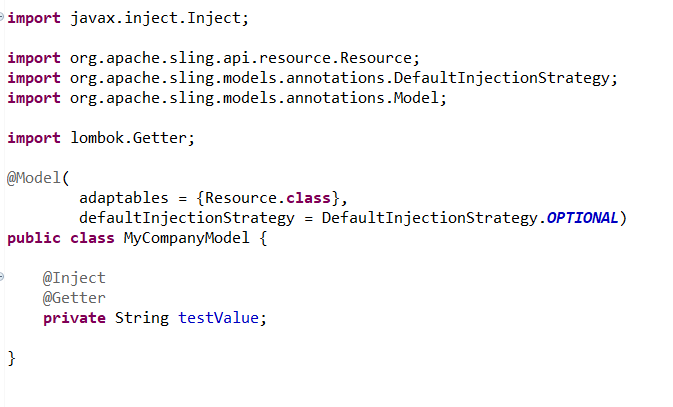
After adding this dependency you can start using this library in your Java classes, Below is the example that I tested out in my AEM Sling Model:

Code Snippet
Once you add the @Getter annotation it automatically declares the getter method to the variable, you can verify in the outline in Eclipse.

Getter corresponding to the variable
Same way we can use @Setter annotation as well to declare the setters at runtime. If you looking for using both, you can use @Data annotation at the class level and it automatically imports all the Getter and Setters at runtime. 

Using @Data annotation


Getter and Setter corresponding to variable
NOTE: 
Sometimes after adding the dependency you won't see the reference of Getters or Setters in Outline then in that case your methods won't be generated at runtime. So please make sure it's the part of the Outline.

If it's not showing up the go-to 
..m2\repository\org\projectlombok\lombok\1.18.4repository in you local and run the java -jar lombok-1.18.4.jar to run the Jar and you will see the following window opens up, Just provide the path of the IDE that you are using and click on Install/Update. And restart the IDE to see the effect.


Project Lombok Library comes with more features that can help you to spice up your Java code and reduces most of the manual effort.

Came to know from one of a friend regarding as he was implementing the same in the Spring application. So I thought why not it a try to use it as part current AEM Archetype project.
This is tested on AEMaaCs and AEM 6.5.5.

If you need more inputs or any update on the above article, please DM me on LinkedIn or email.

Reference: 


By aem4beginner

October 1, 2020
Estimated Post Reading Time ~

Fetch Content Fragment using Sling Model

We have seen how to create a content fragment in the previous post.Content Fragments can be rendered onto a page by below different ways:

Using AEM core components
Using Custom Sling Model
Using Servlet to access Content Fragment.
Let's see how to render Content Fragment using the sling Model.


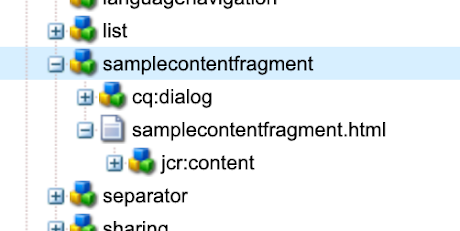
Create an AEM component "samplecontentfragment" which calls the sling model SampleContentFragment.java

samplecontentfragment.html
<p data-sly-test="${properties.text}">Text property: ${properties.text}</p>

Render Content Fragment using Sling Model
Title: ${model.title}
Description: ${model.description}
Release Date: ${model.releaseDate}
</img>
</sly>
SampleContentFragment.java

package com.adobe.aemquickstart.core.models;

import java.util.Calendar;
import java.util.Optional;

import javax.annotation.PostConstruct;
import javax.inject.Inject;

import org.apache.commons.lang.StringUtils;
import org.apache.sling.api.resource.Resource;
import org.apache.sling.api.resource.ResourceResolver;
import org.apache.sling.models.annotations.DefaultInjectionStrategy;
import org.apache.sling.models.annotations.Model;
import org.apache.sling.models.annotations.injectorspecific.Self;

import com.adobe.cq.dam.cfm.ContentElement;
import com.adobe.cq.dam.cfm.ContentFragment;
import com.adobe.cq.dam.cfm.FragmentData;
import com.adobe.cq.dam.cfm.FragmentTemplate;

@Model(adaptables = Resource.class, defaultInjectionStrategy = DefaultInjectionStrategy.OPTIONAL)
public class SampleContentFragment {
public static final String MODEL_TITLE = "AEM Book";
public static final String CF_PATH = "/content/dam/aemquickstart/content-fragments/aem-book";

@Inject
@Self
private Resource resource;
@Inject
ResourceResolver resourceResolver;
private Optional<ContentFragment> contentFragment;

@PostConstruct
public void init() {
Resource fragmentResource = resourceResolver.getResource(CF_PATH);
contentFragment = Optional.ofNullable(fragmentResource.adaptTo(ContentFragment.class));
}

public String getTitle() {
return contentFragment.map(cf -> cf.getElement("title")).map(ContentElement::getContent)
.orElse(StringUtils.EMPTY);
}

public String getDescription() {
return contentFragment.map(cf -> cf.getElement("description")).map(ContentElement::getContent)
.orElse(StringUtils.EMPTY);
}

public Calendar getReleaseDate() {
return ((Calendar) contentFragment.map(cf -> cf.getElement("releaseDate")).map(ContentElement::getValue)
.map(FragmentData::getValue).orElse(StringUtils.EMPTY));
}

public String getImage() {
return contentFragment.map(cf -> cf.getElement("image")).map(ContentElement::getContent)
.orElse(StringUtils.EMPTY);
}
}

Add the new component on to the page and refresh the page.


By aem4beginner

September 19, 2020
Estimated Post Reading Time ~

AEM Sling Models

What is the Sling Models?

While working with Sling in Adobe Experience Manager[AEM]; we need to map our objects (Java backend object) with  Apache Sling resource. Many Sling projects want to be able to create model objects - POJOs which are automatically mapped from Sling objects, typically resources, but also request objects. With the help of sling models, we can define a model object "a Java class or interface" and map that object with sling resources. Before sling models, we are achieving these all using WCMUse and WCMUsePojo which are quite similar to sling models.

To use the Sling Models in your project first you need to add the following dependency in your pom.xml file.

<dependency>
   <groupId>org.apache.sling</groupId>
   <artifactId>org.apache.sling.model.api</artifactId>
   <version>1.3.0</version>
   <scope>provided</scope>
<dependency>

@Model annotation 
To map a java class or interface with sling resource we use @Model annotation and could pass an adaptables parameter into it to make a class adaptable by sling model.

@Model(adaptables = Resource.class)
public class RashidJorvee {
 //Write your code here
}  
 or
@Model(adaptables = SlingHttpServletRequest.class)
public class RashidJorvee {
 //Write your code here

@Inject annotation
Using @Inject we can make a filed and method injectable. We can also inject a constructor using @Inject annotation. We also use @Inject with @Filter option to pass the reference to an available OSGi service, which works similarly as @Refernce.

    @Inject
    private String firstName;

    @Inject
    String getName();

There are many other options we have which makes injection make accurate and exact. like following

@Named
To match the name of the property with the field name

@Via
Change the adaptable object instead of using the original adaptable object

@Default 
To assign a default value to any field or property.

@Filter
Filter an OSGi service

@Optional
Mark filed and method injection optional.

@Source
To manage the ambiguity between injectors, it helps us to tie the injected field or method to a particular injector. 

@PostConstruct annotation
Using PostConstruct annotation we can invoke any method which we want to execute when all injection has been completed for that class. This is act as similar to the activate() method which we use for WCMUsePojo or WCMUse.

@PostConstruct
public void letMeExecuteFirst() {
 //Write your code here;
}


By aem4beginner